US Ecology
I designed a Daily Worksheet Report (DWR) platform for project managers. The platform facilitates time tracking, labor management, and the recording and tracking of material and equipment usage. It was be developed as a Canvas App using Power Apps, built on Dynamics 365
OVERVIEW
From Spreadsheets to Seamless: Designing US Ecology’s Next-Gen DWR
US Ecology aimed to transition from their legacy Excel-based labor, material, and equipment tracking system to a more intuitive, automated platform.
The new Daily Worksheet Report (DWR) system is designed to accurately record daily work activities, including labor hours, equipment usage, and material tracking. Integrated with D365, Workday, and EQAI, this platform streamlines data consolidation, replacing fragmented spreadsheets with a seamless, efficient solution.
MY ROLE
Lead UX Designer – End-to-End DWR Platform Design
I managed the full design process for the DWR platform, from conducting workshops with stakeholders to final delivery. I collaborated closely with stakeholders and developers to create an intuitive, integrated solution aligned with US Ecology’s operational needs and systems like D365, Workday, and EQAI.
MY ROLE
Initial Research
Wireframes
Visual Mocks
Dev Handover
TEAM
1 Product Owner
2 Front-end Dev’s &
2 Back-end Dev’s
1 Tester
1 Designer (myself)
TOOLS
Figma
TIMELINE
4 months
OUR CHALLENGE
Fragmented Excel Workflows and Legacy Processes Causing 20% Data Gaps and Inefficient Daily Reporting
US Ecology’s existing process relied on multiple fragmented Excel spreadsheets, making labor, material, and equipment tracking inefficient.
Project managers had to navigate several worksheets to find project and equipment codes, often copying and pasting data from previous records. Each PM maintained their own sheet, leading to inconsistencies and missing data resulting in a 20% information gap in the Daily Worksheet Report (DWR).
PROBLEM STATEMENT
US Ecology’s labor, equipment, and material tracking relied on disconnected Excel spreadsheets maintained individually by project managers. This manual, inconsistent process led to missing data, inefficiencies, and reporting delays ultimately causing a 20% gap in Daily Worksheet Reports (DWR) and making it difficult to maintain operational accuracy across projects.
KEY GUIDING PRINCIPLES
Building a Seamless, Accurate, and Efficient Tracking System
1
Centralized Tracking – Replace multiple Excel sheets with a unified platform for all PMs to input and track data
2
Efficiency Boost – Eliminate the need to search for codes across spreadsheets, saving time.
3
Data Accuracy – Reduce the 20% data gap by standardizing and automating entries.
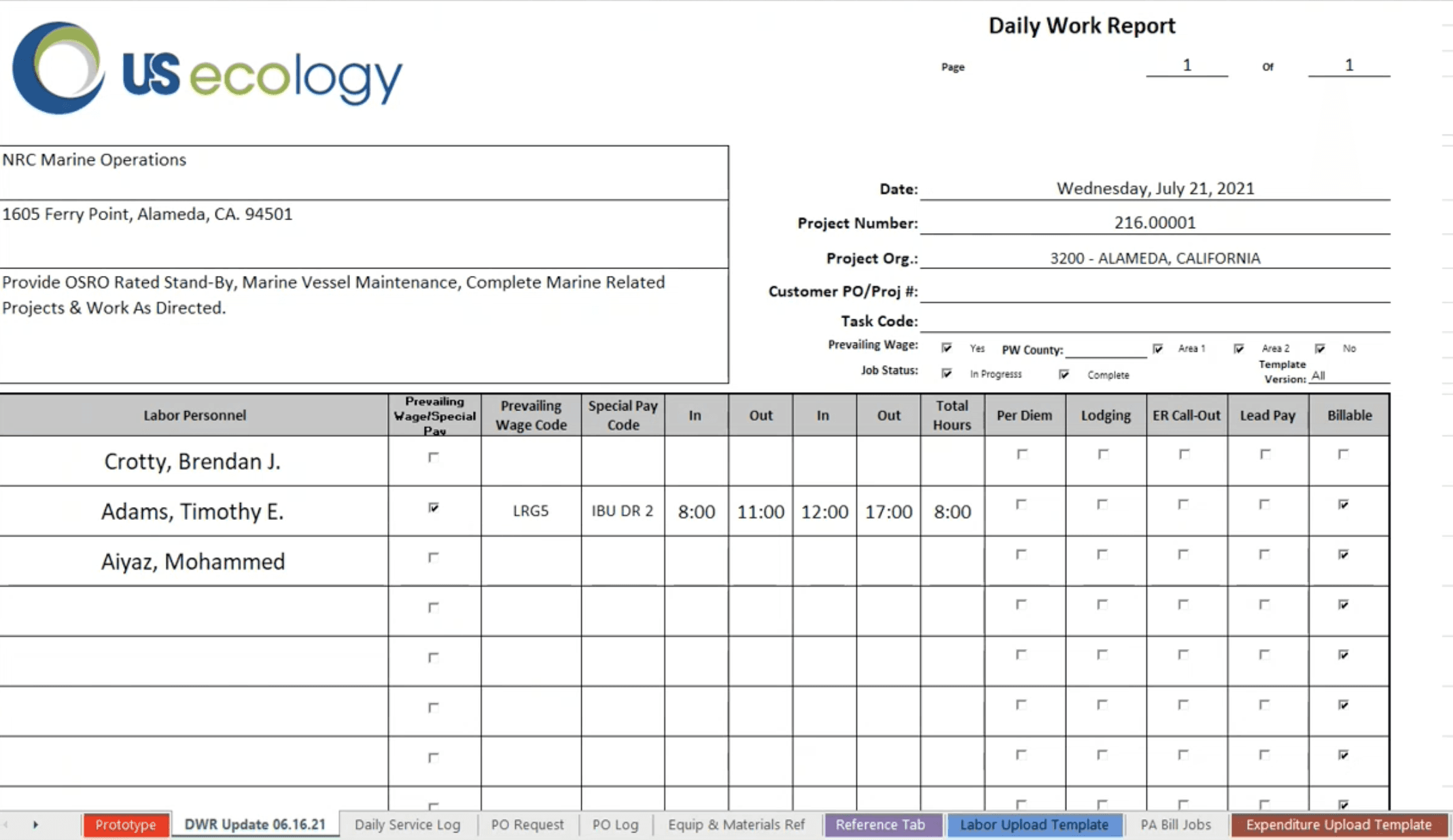
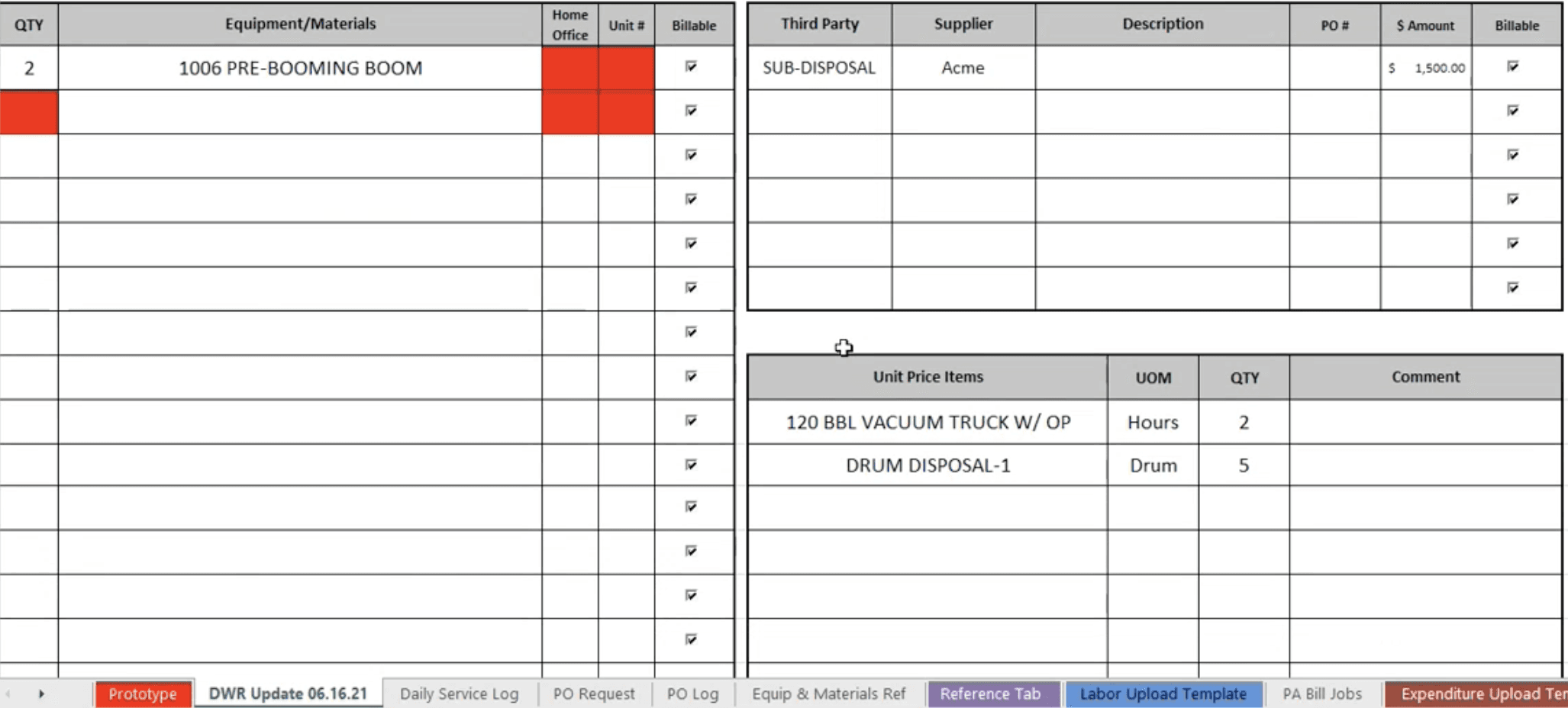
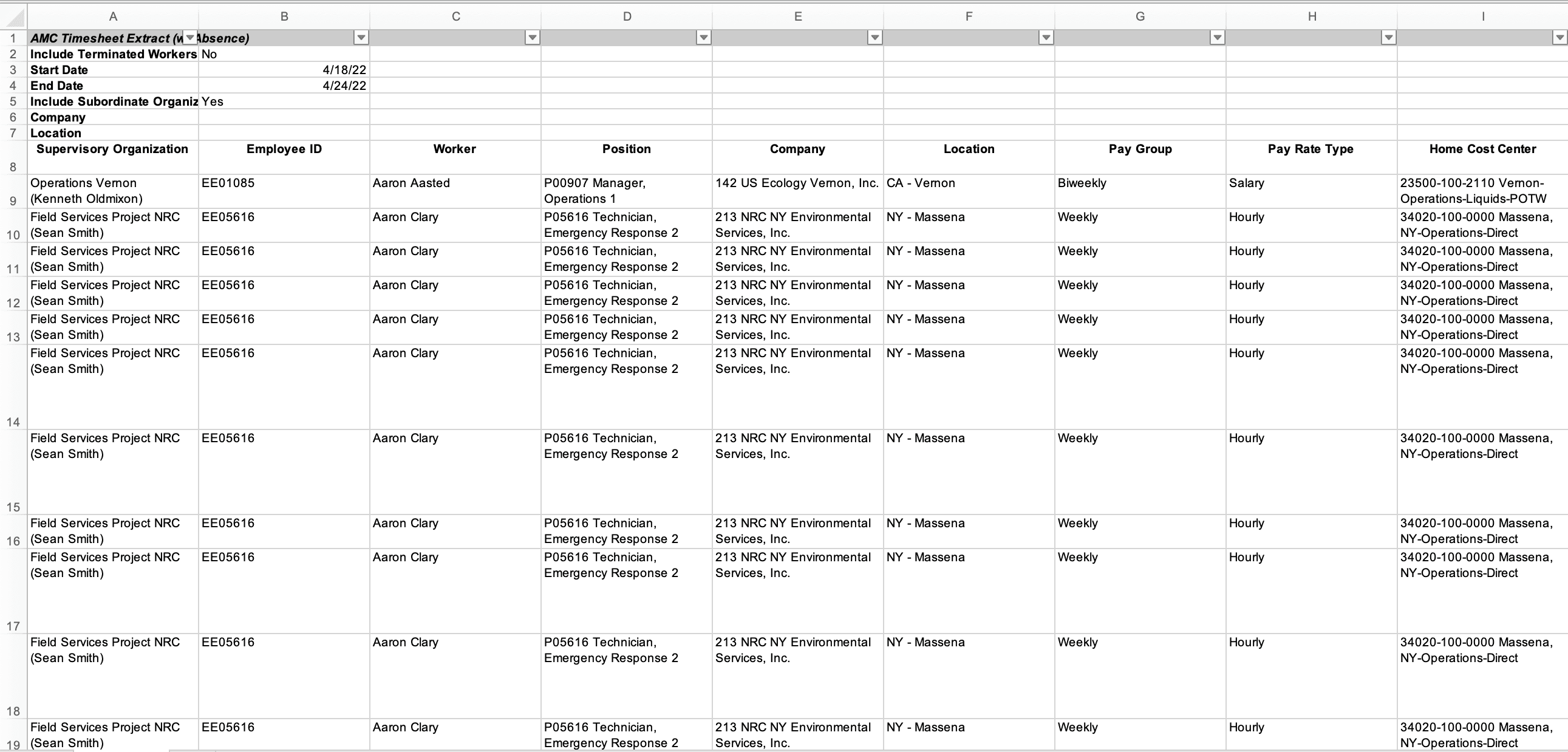
Current DWR EXCEL REPORTS
USER RESEARCH
Key Research Insight
US Ecology needed an web platform to replace their existing spreadsheets, integrated with Dynamics 365, EQAI, and Workday. The platform required a centralized product catalog for easy reference and a simple, user-friendly UI for quick adoption. It also needed to enable PMs to plan, forecast, and track worker timesheets, as well as manage material, equipment, and third-party costs efficiently.
DISCOVERY
Discovery Workshop & Stakeholder Alignment: Understanding Existing Workflows to Define a Future-Ready Solution
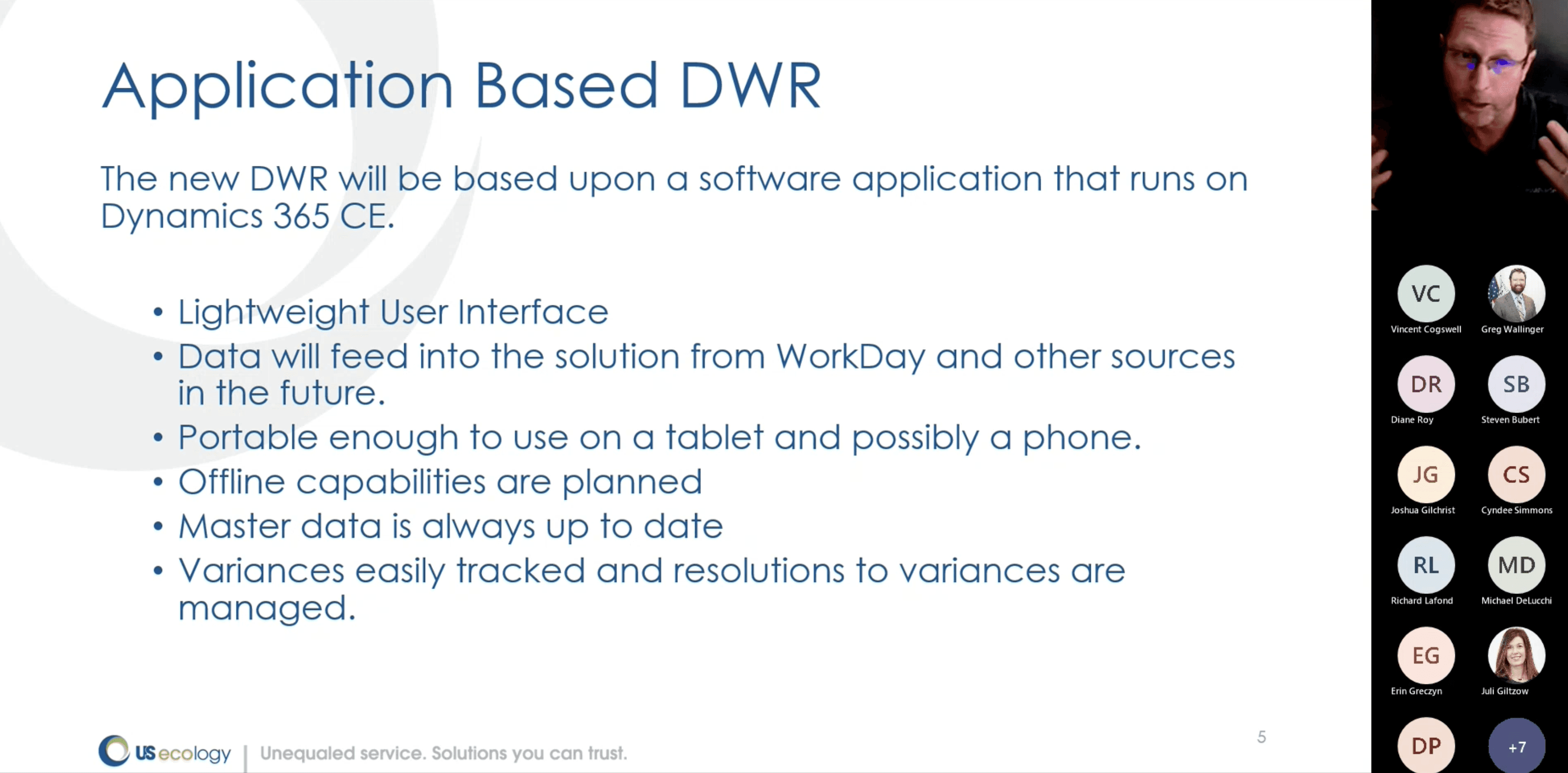
We kicked off the project with a focused 4-day discovery workshop (2 hours/day), led by the Lead Product Owner with my support. These collaborative sessions helped us uncover pain points, define key goals, and outline integration needs for the new platform.

USER STORIES
User Stories & Workflow Definition
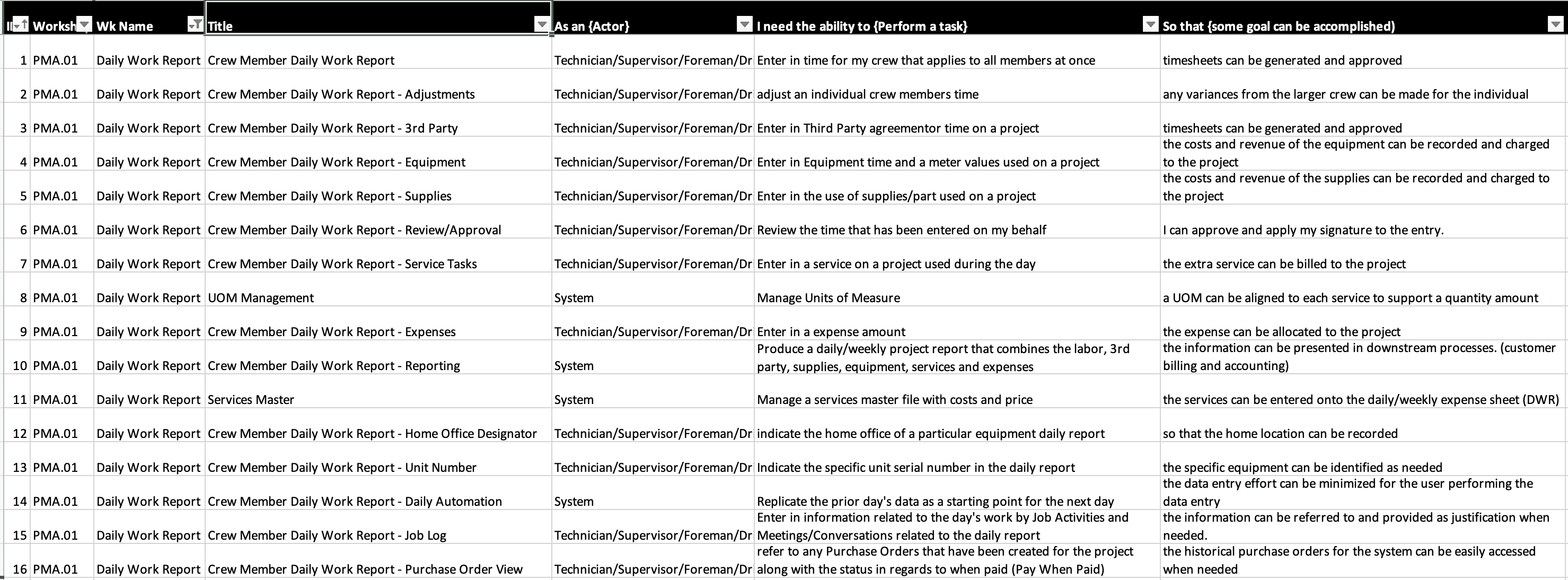
Following the discovery workshops, I collaborated with the product owner and client-side stakeholders to draft detailed user stories for all identified use cases. These were reviewed and refined through iterative discussions
IDEATION
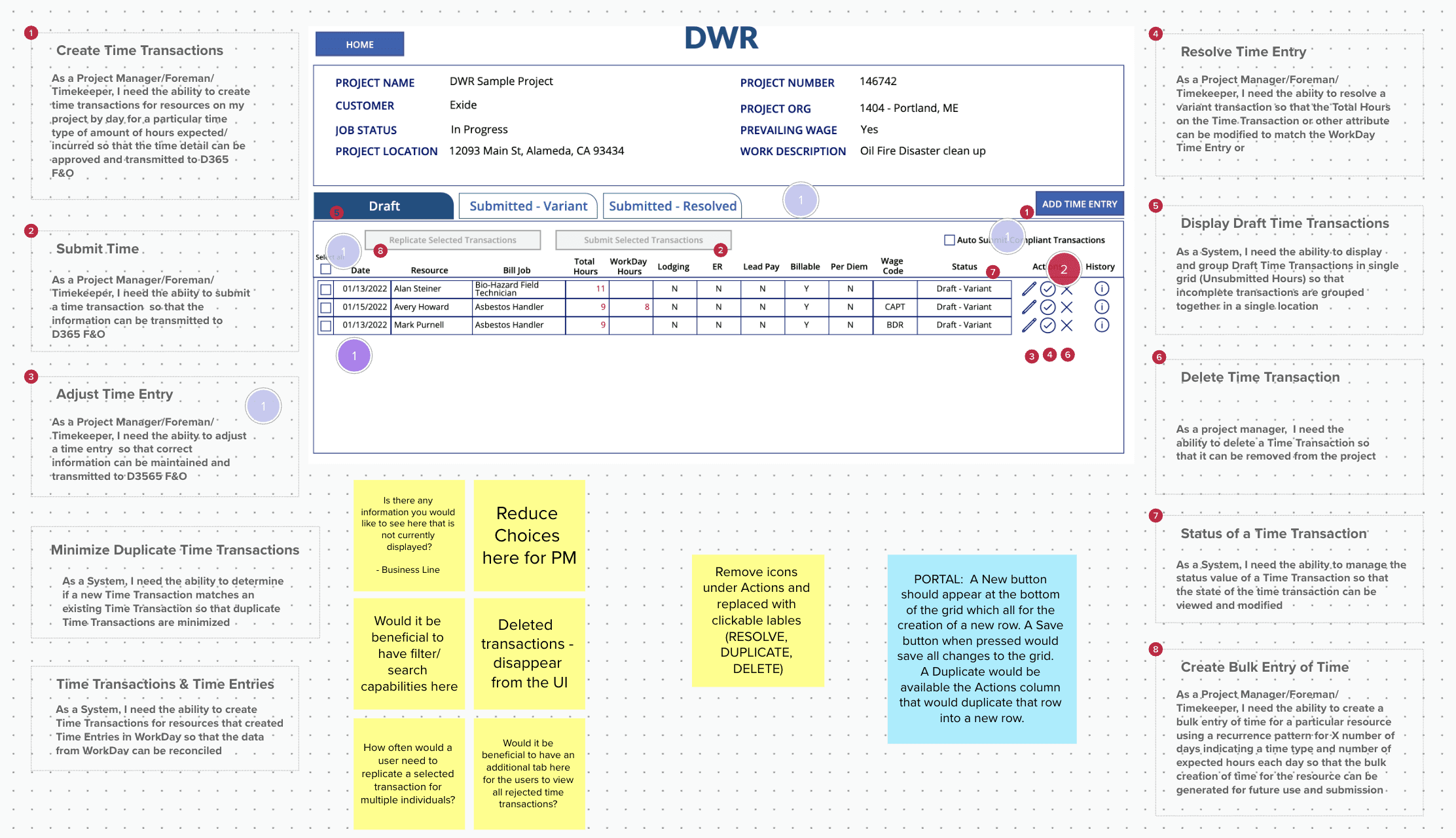
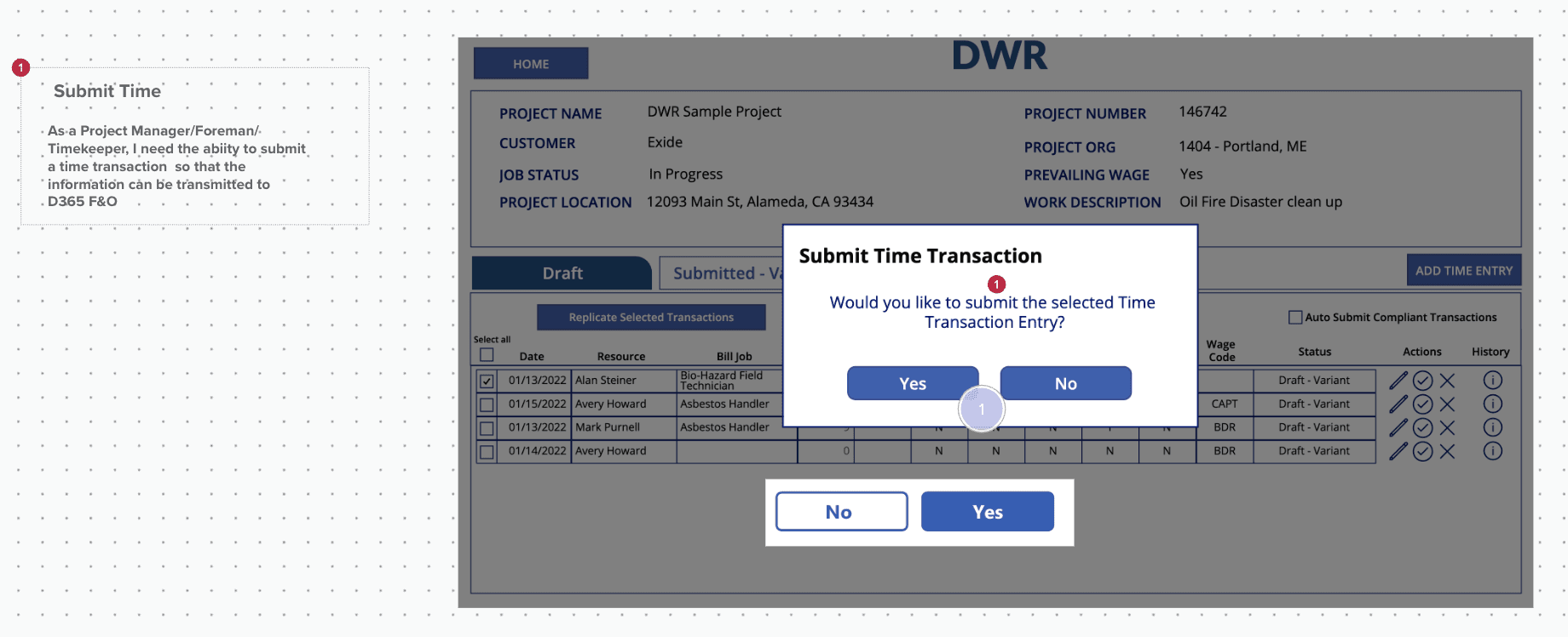
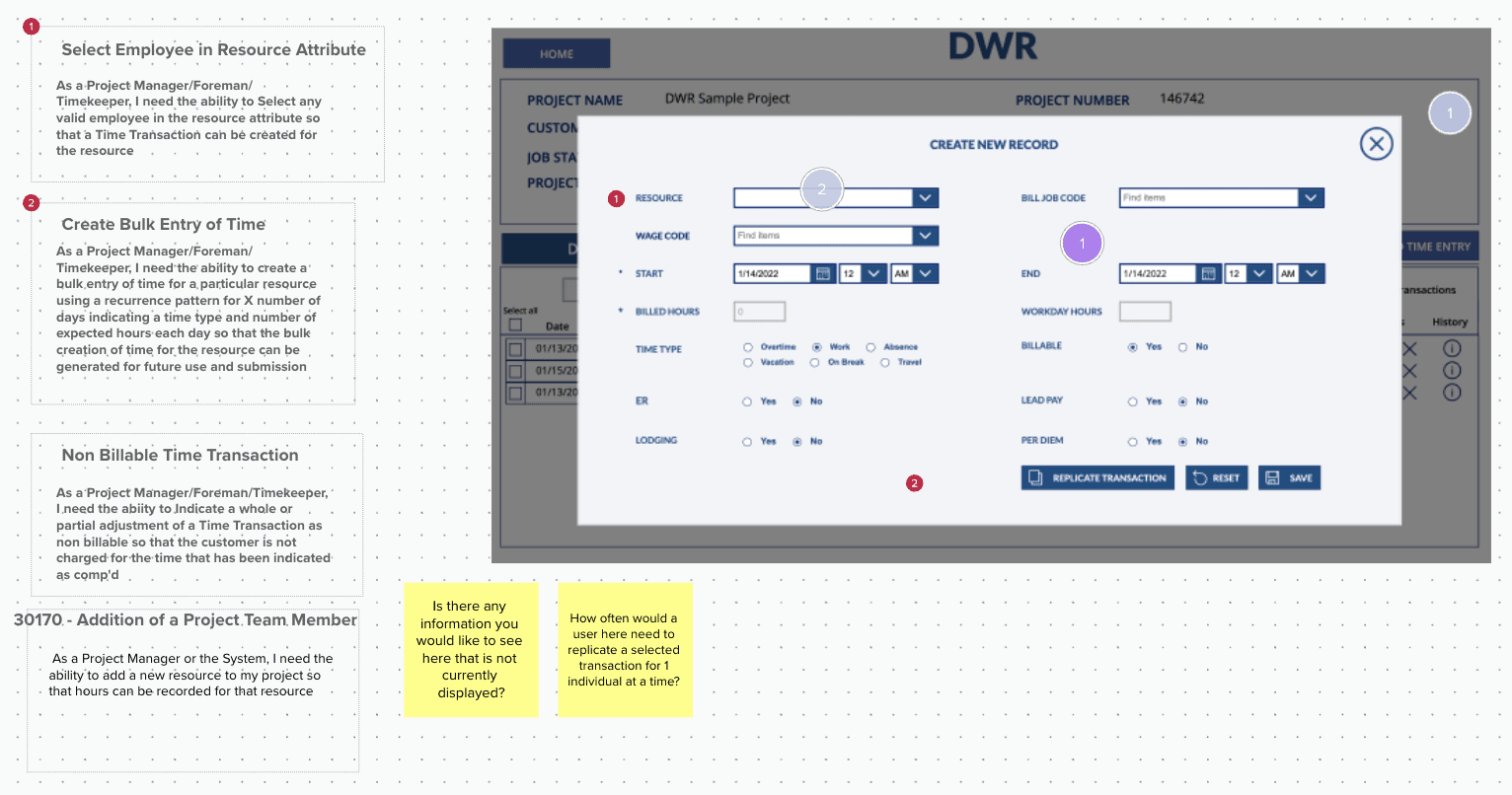
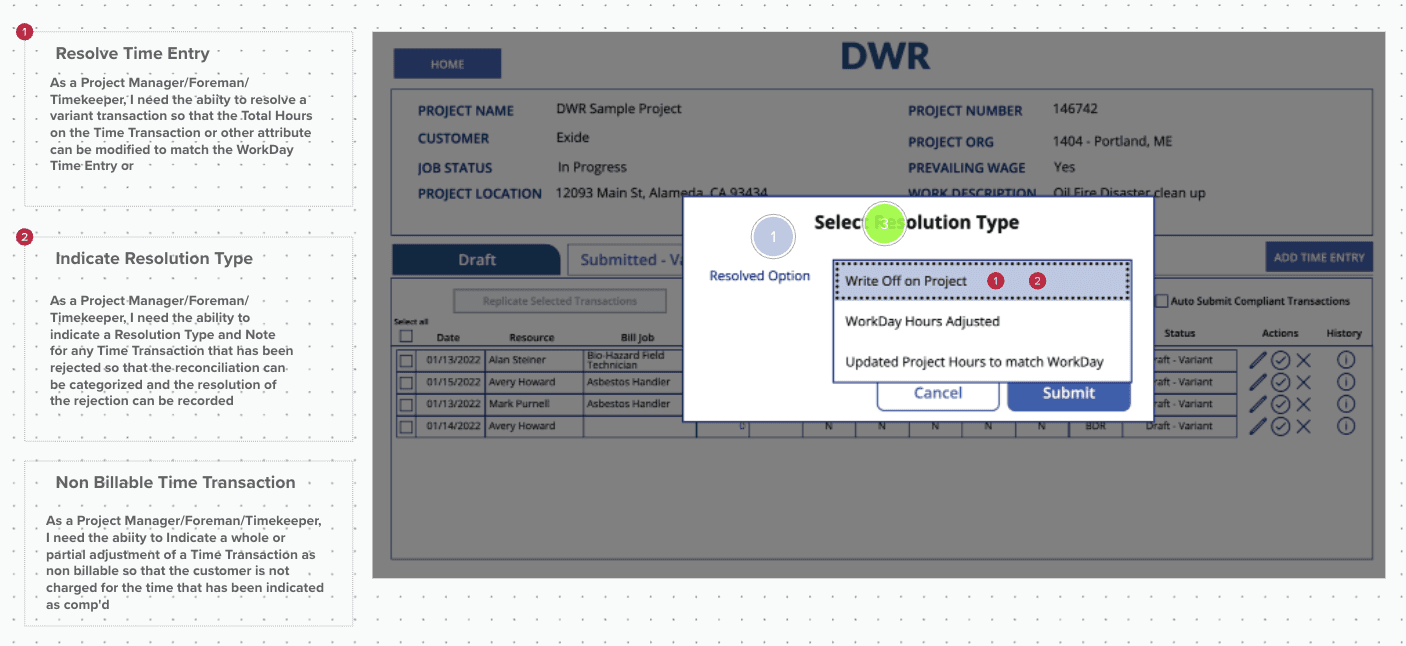
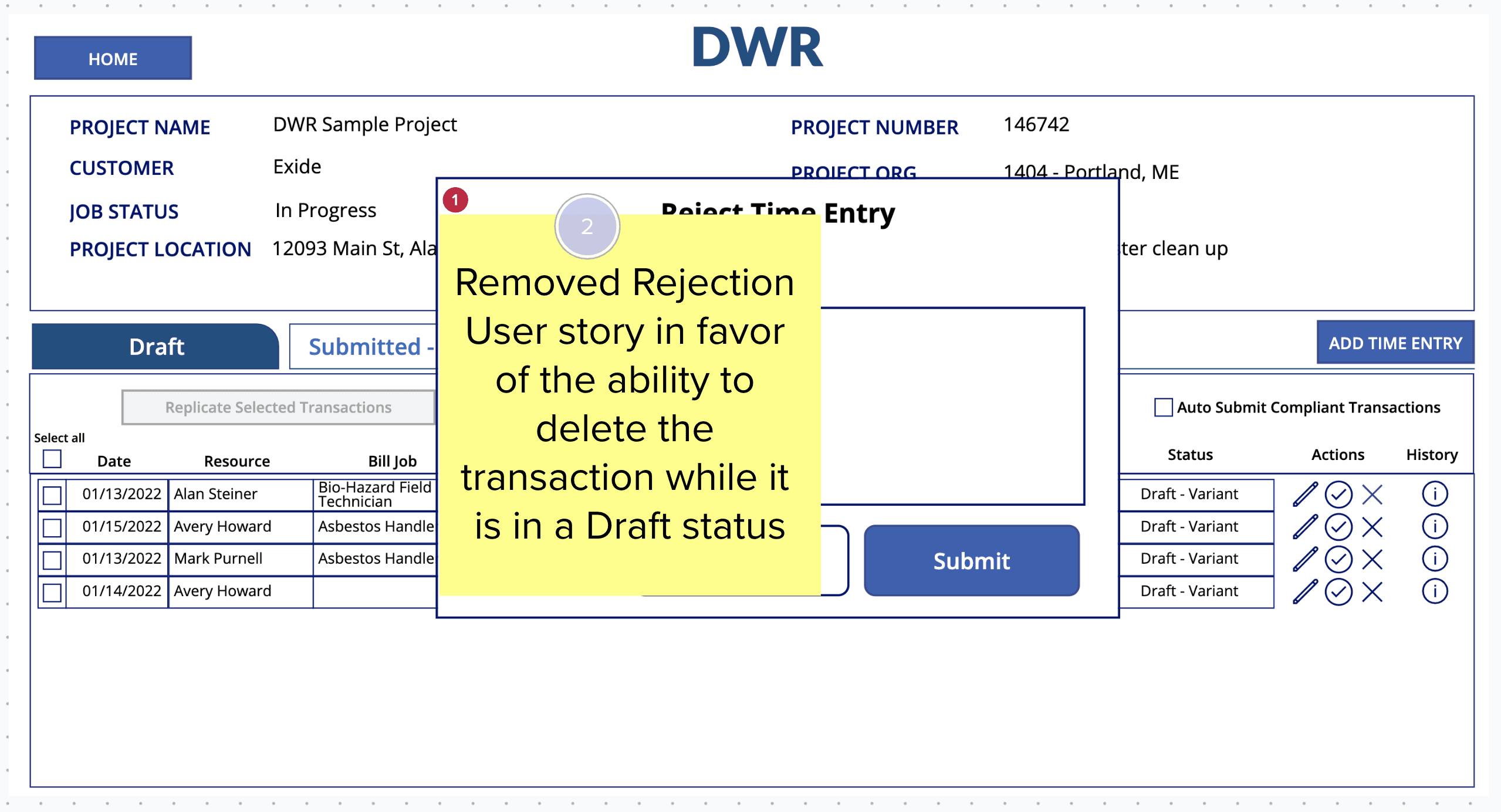
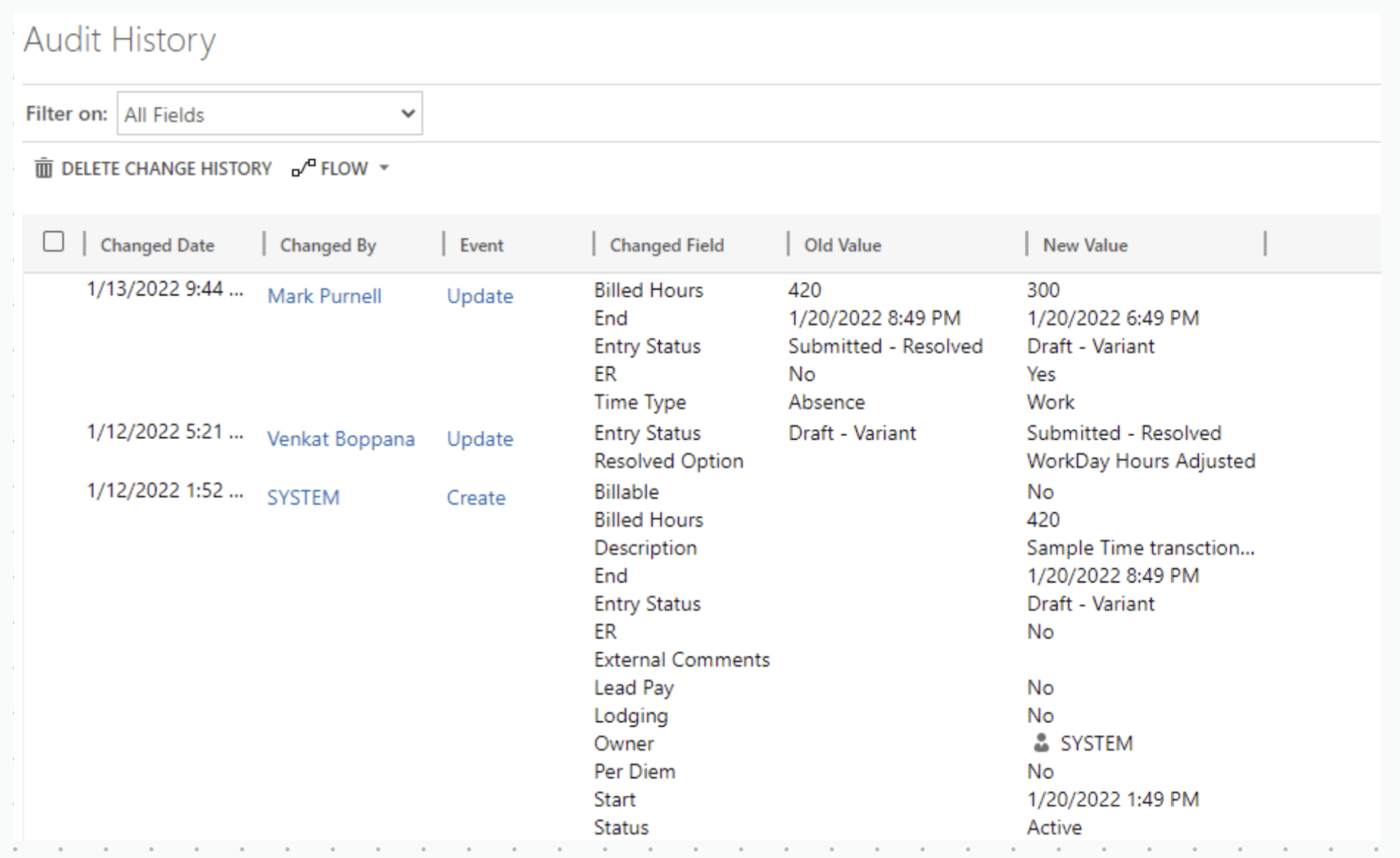
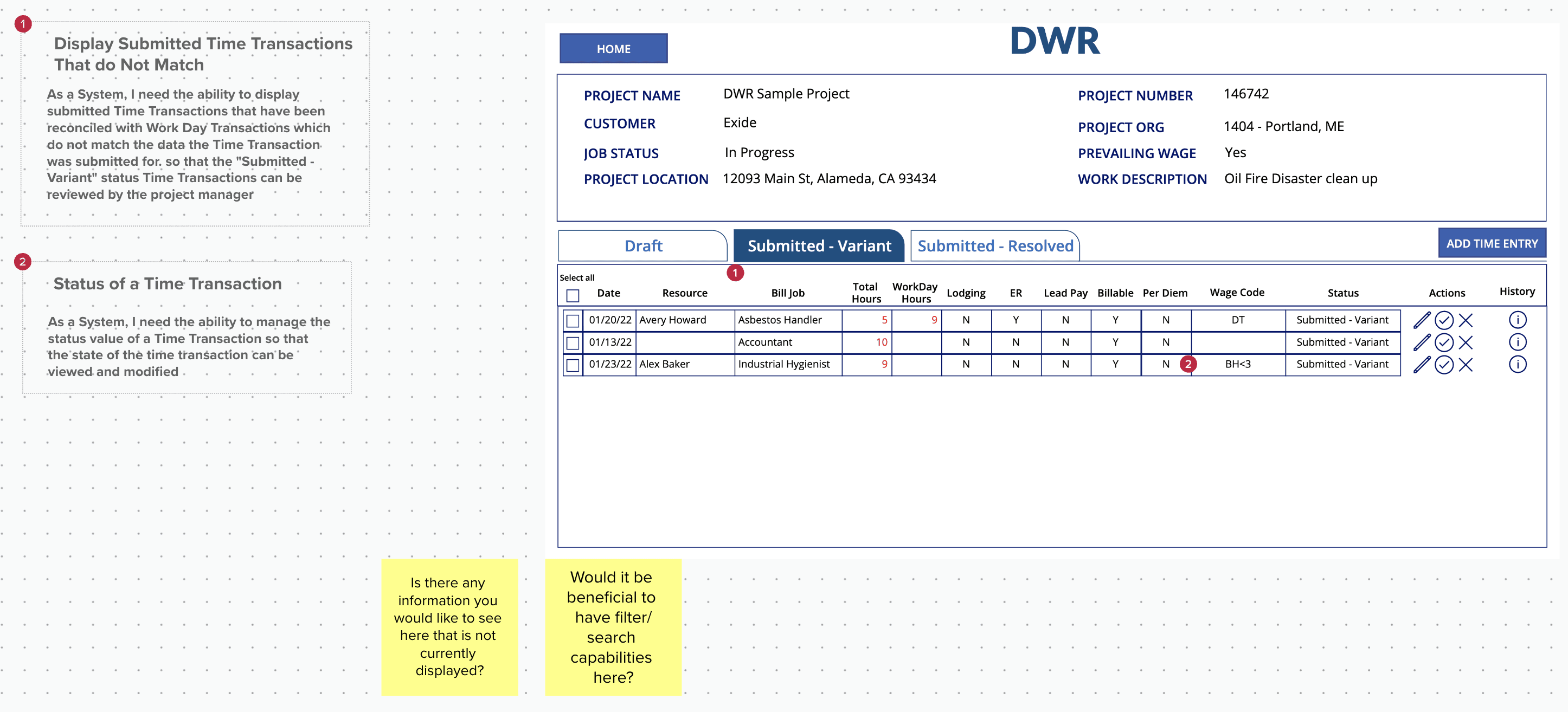
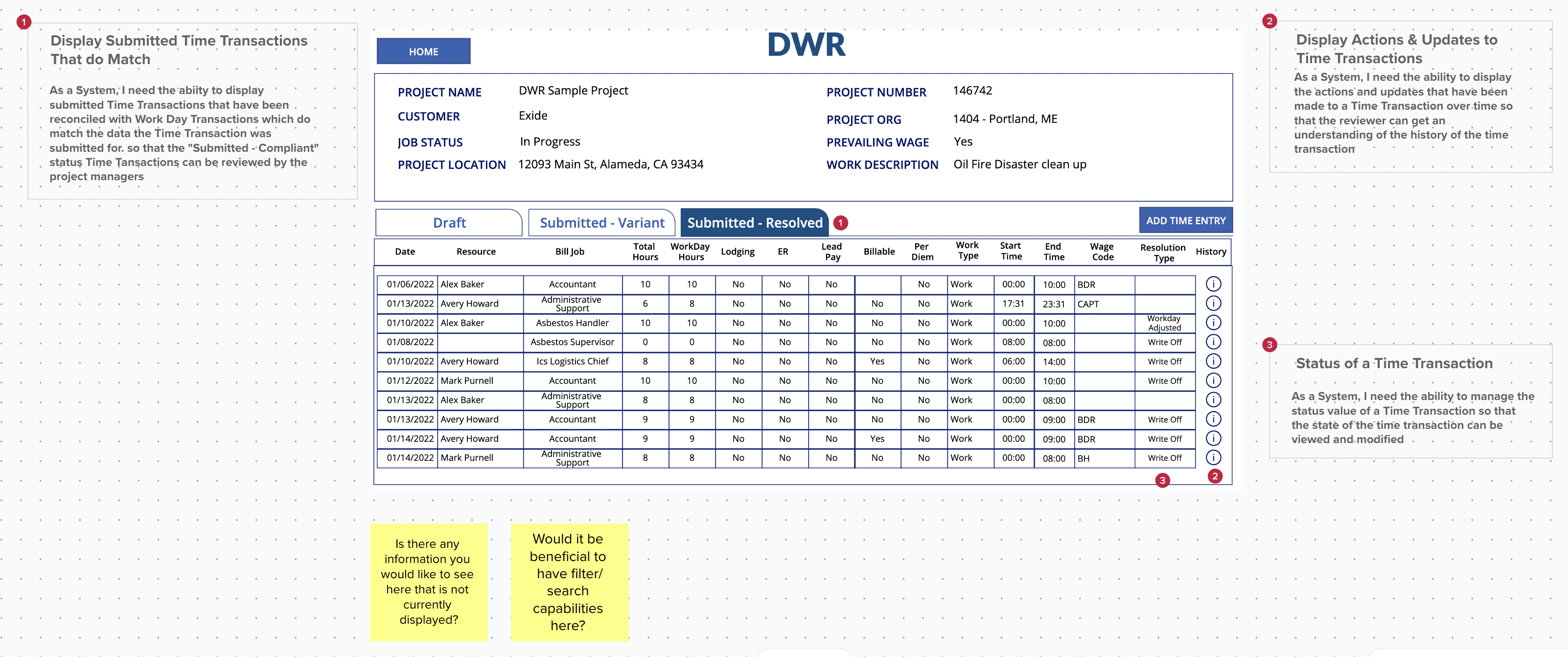
Initial Wireframes Crafted using User Stories
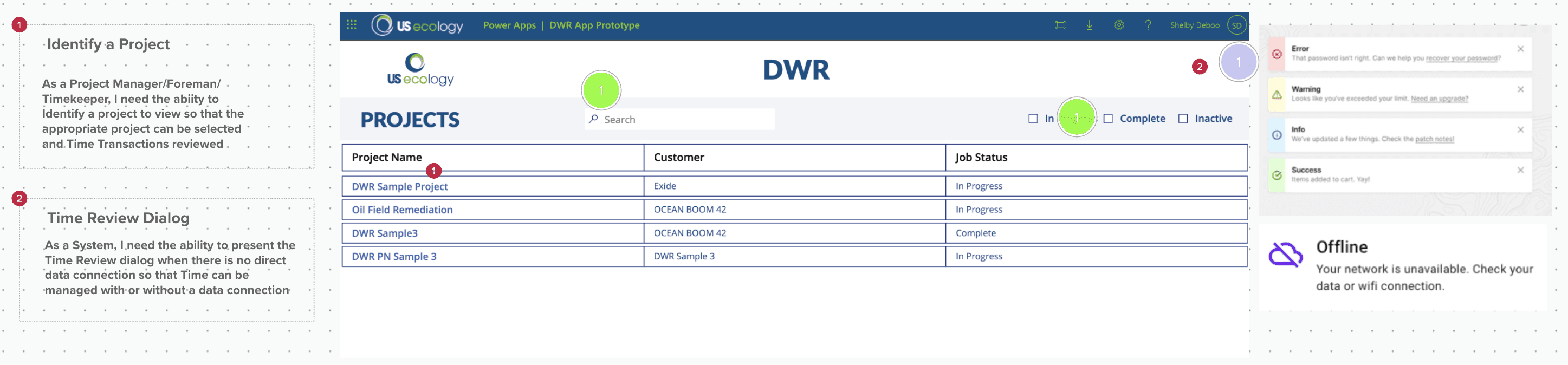
We developed the initial set of wireframes, aligning them with the user stories. These wireframes were continuously reviewed with stakeholders, allowing for iterative improvements based on feedback
FINAL WIREFRAMES
Final Wireframes & Design Alignment
After multiple iterations and refinements, the final wireframes were completed. They incorporated US Ecology’s brand elements while adhering to Microsoft’s out-of-the-box Canvas App components, ensuring consistency and usability within the platform.
Landing Page
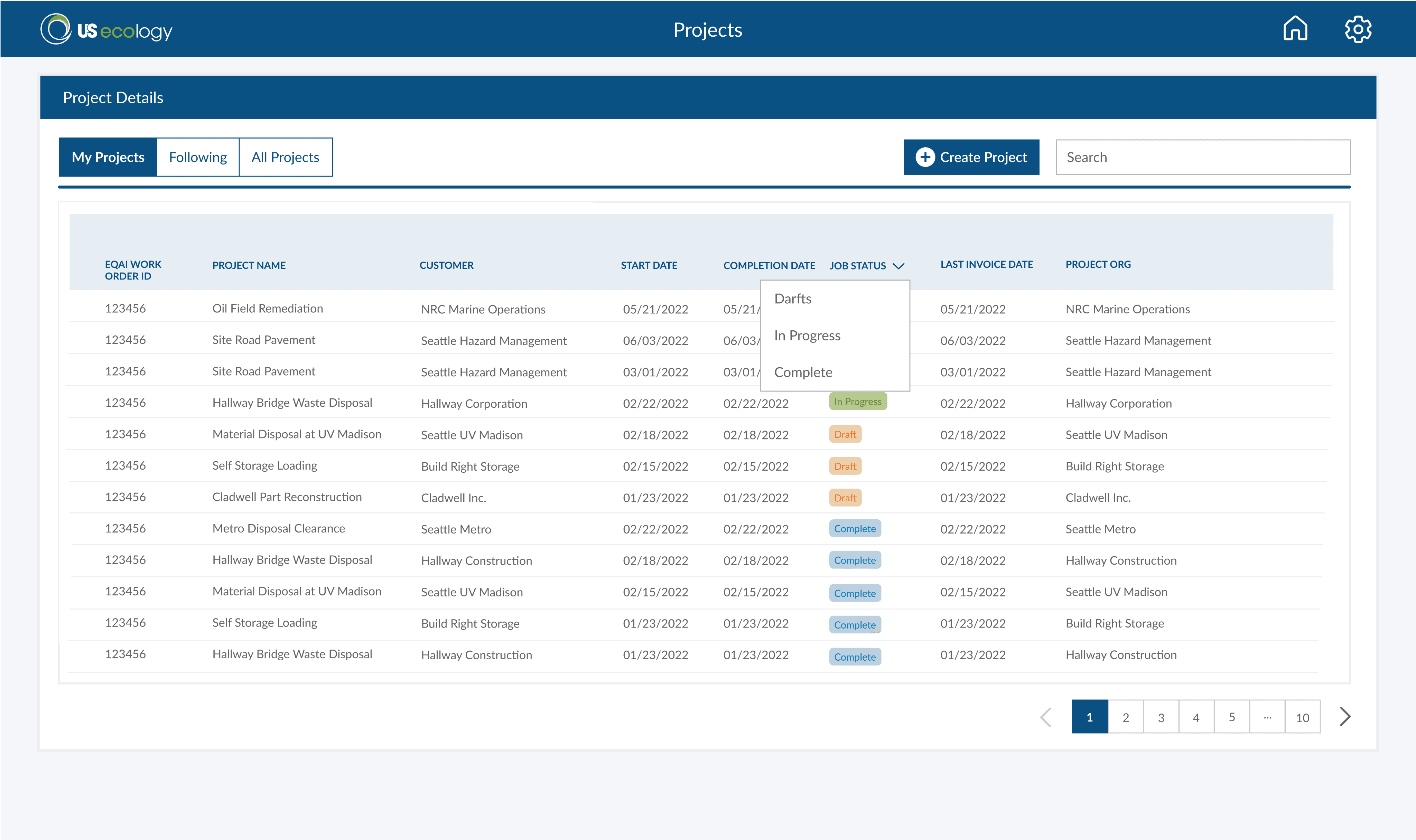
This dashboard was designed to help project managers (PMs) oversee multiple projects efficiently. Given that each PM typically manages 3-4 projects simultaneously, the interface allows them to:
1
Organized Views - Switch between "My Projects," "Following," and "All Projects"
2
Project Tracking - View status (Draft, In Progress, Complete) at a glance.
3
Quick Search - Easily find projects with a search bar.
4
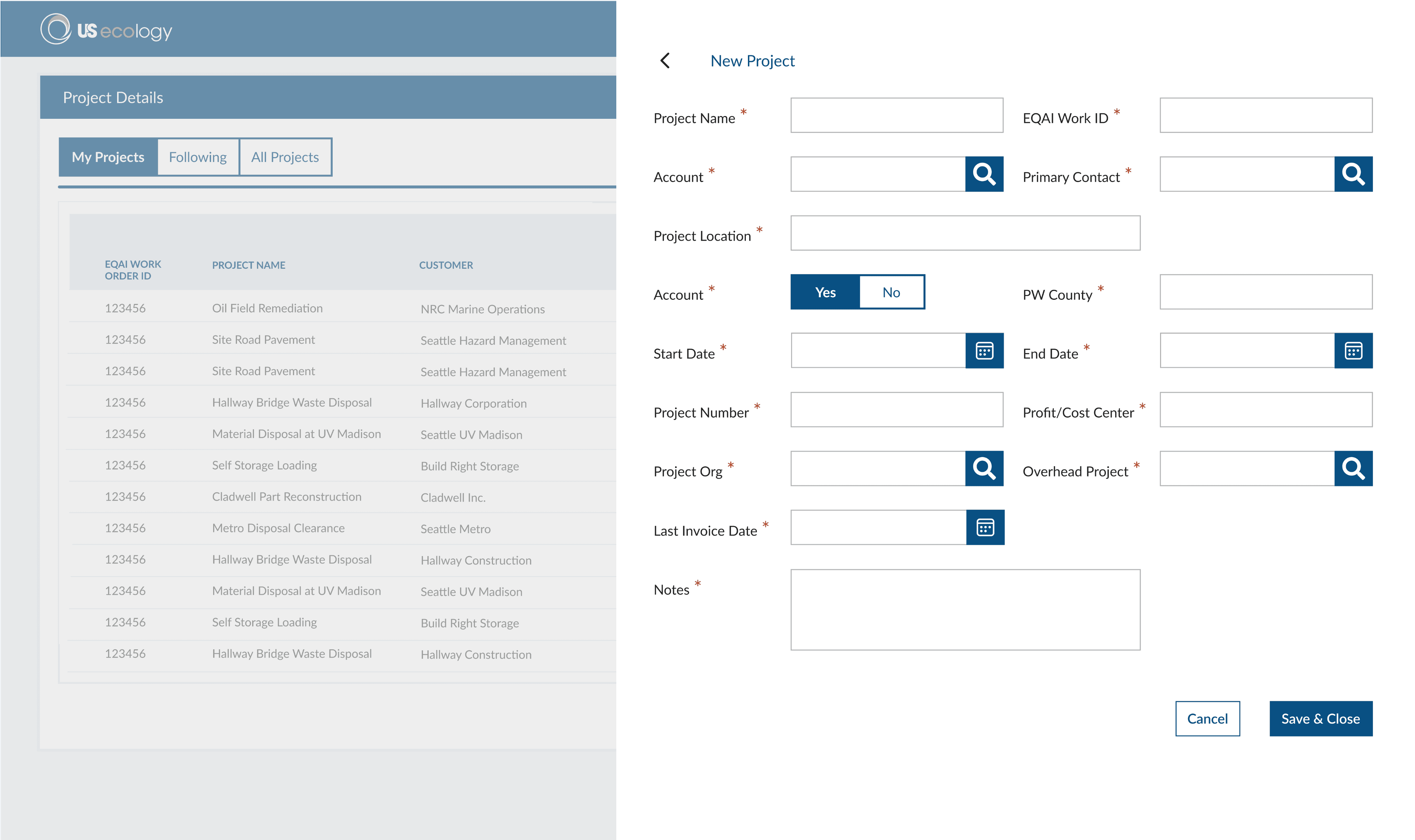
Effortless Project Creation - A structured form simplifies new project setup
1
3
2
4
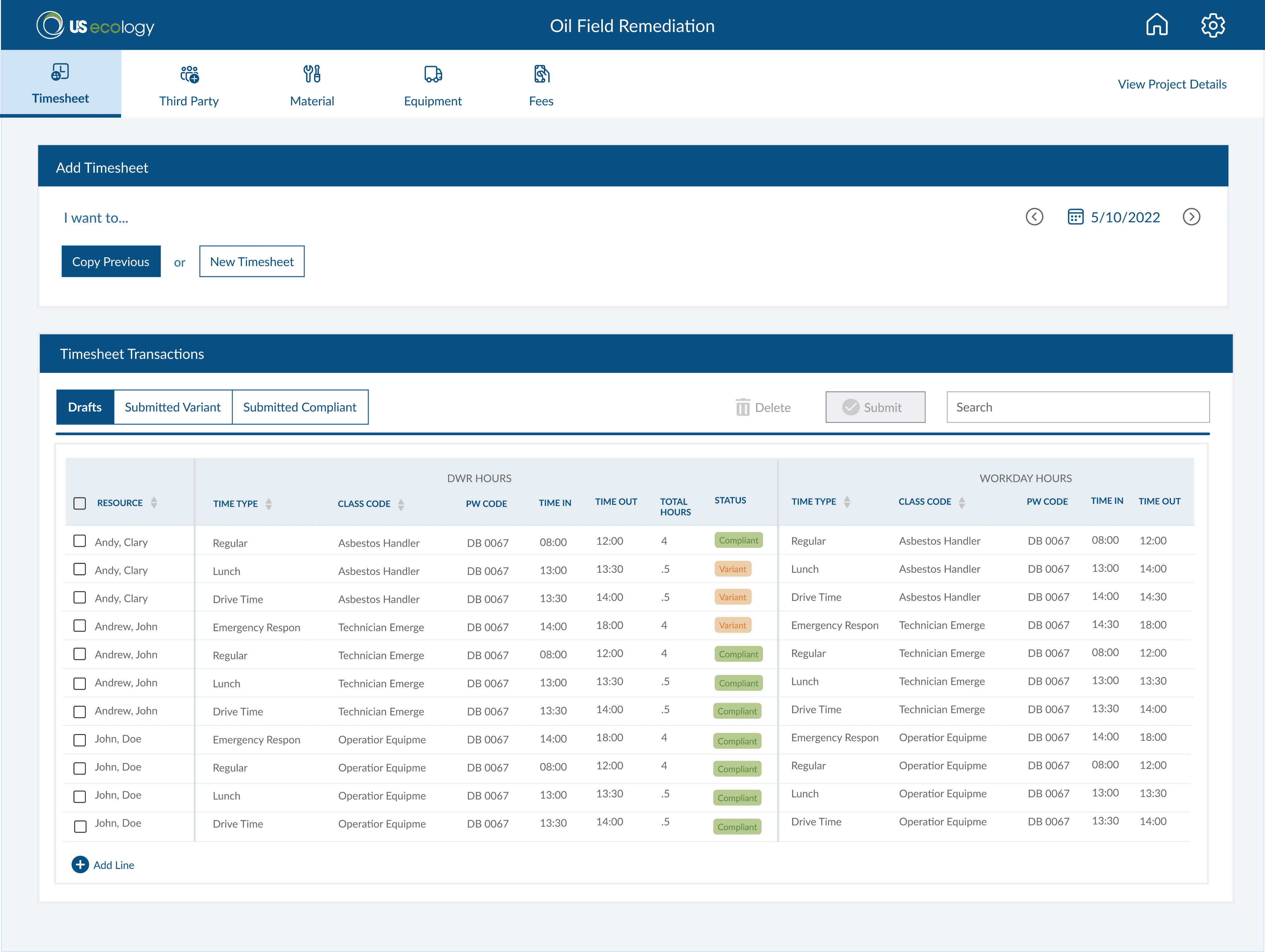
Timesheet Page
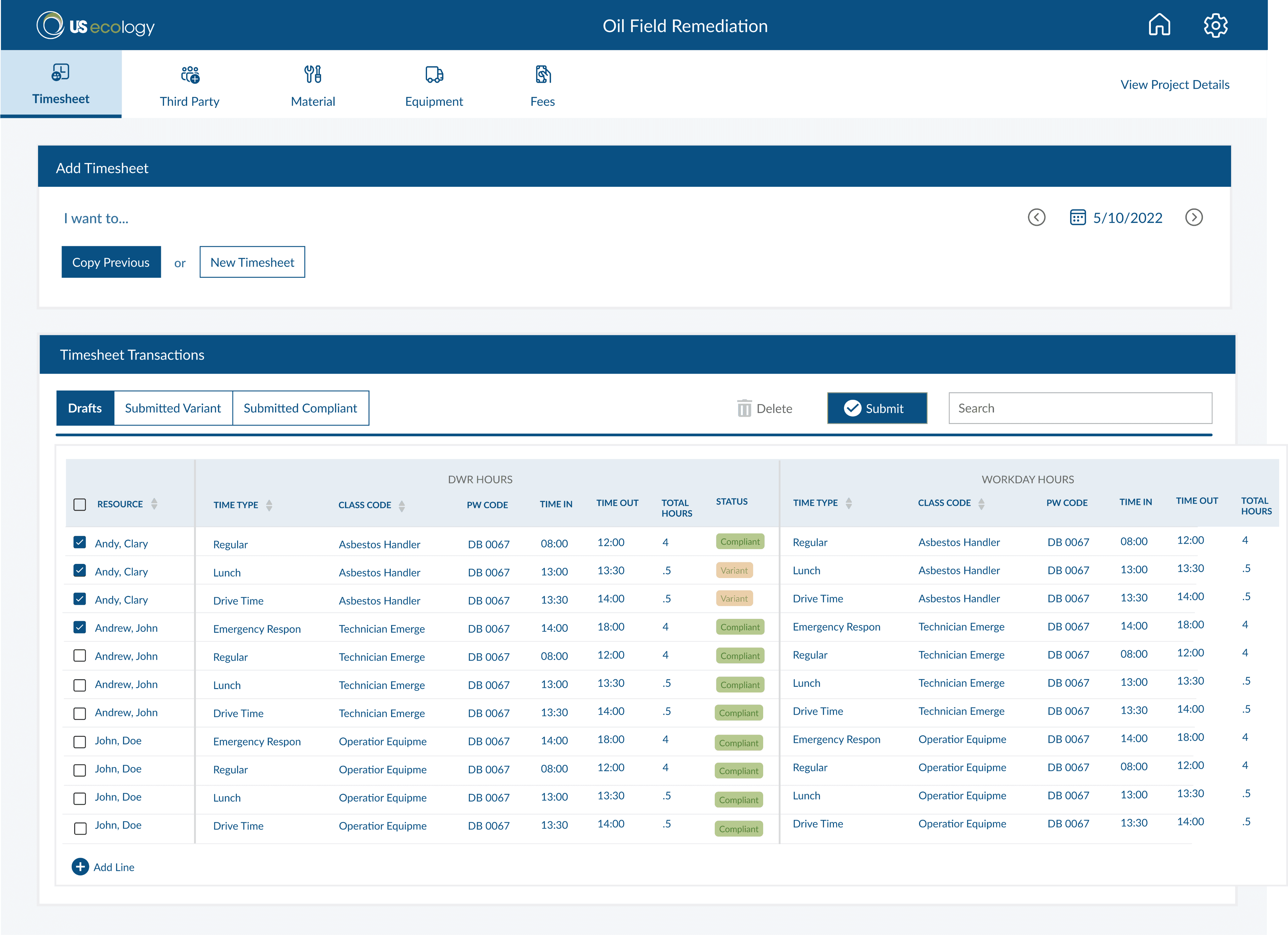
When a Project Manager (PM) clicks on a project, they will be directed to this Timesheet Page. Here, the PM can enter workers' time and compare it with the time recorded by workers in the Workday portal.
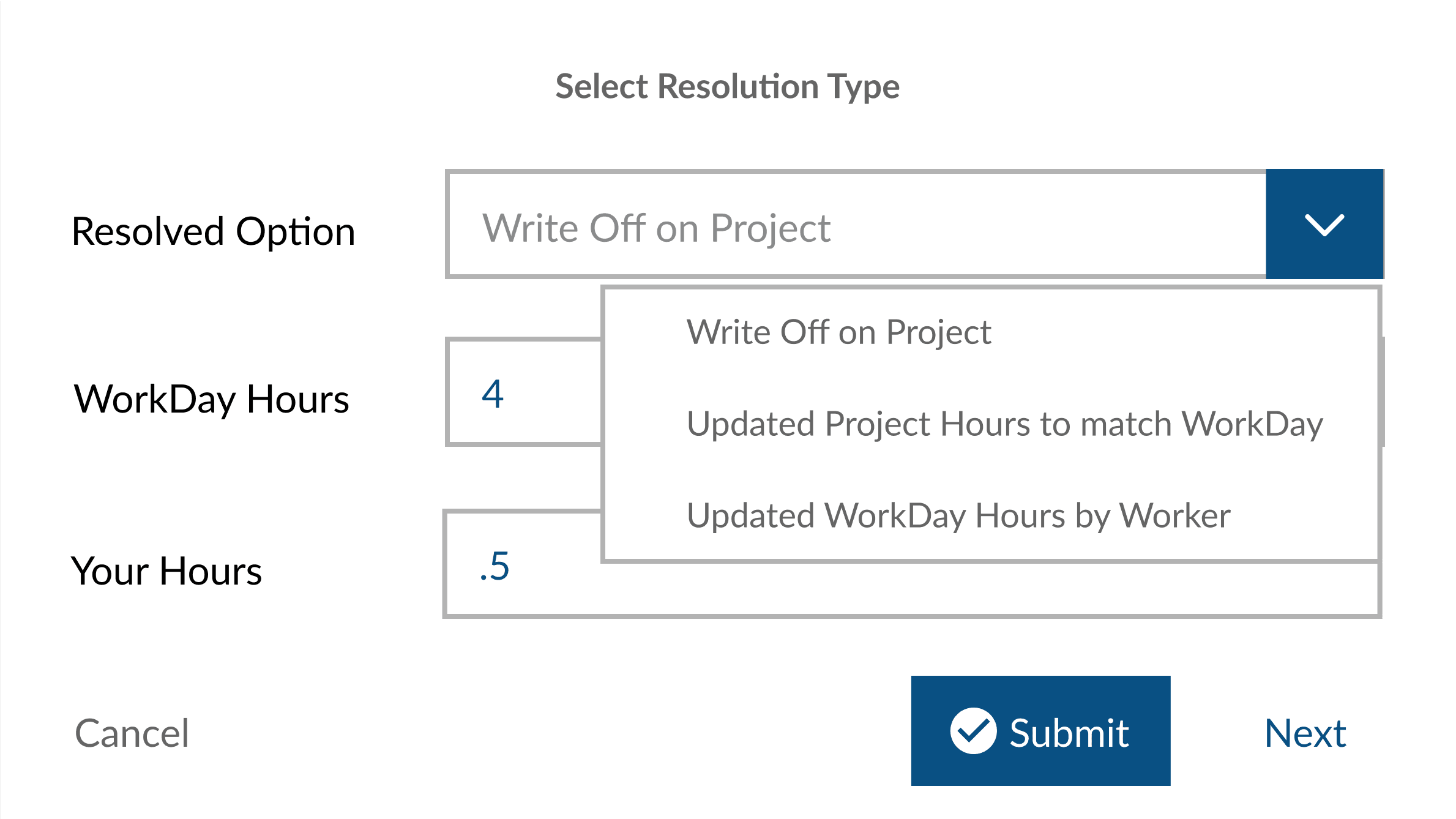
If there is a discrepancy between the time entered in Workday and the timesheet submitted by the PM, the Timekeeper will be responsible for reviewing and resolving the variance.
On the Timesheet Page, the PM can:
1
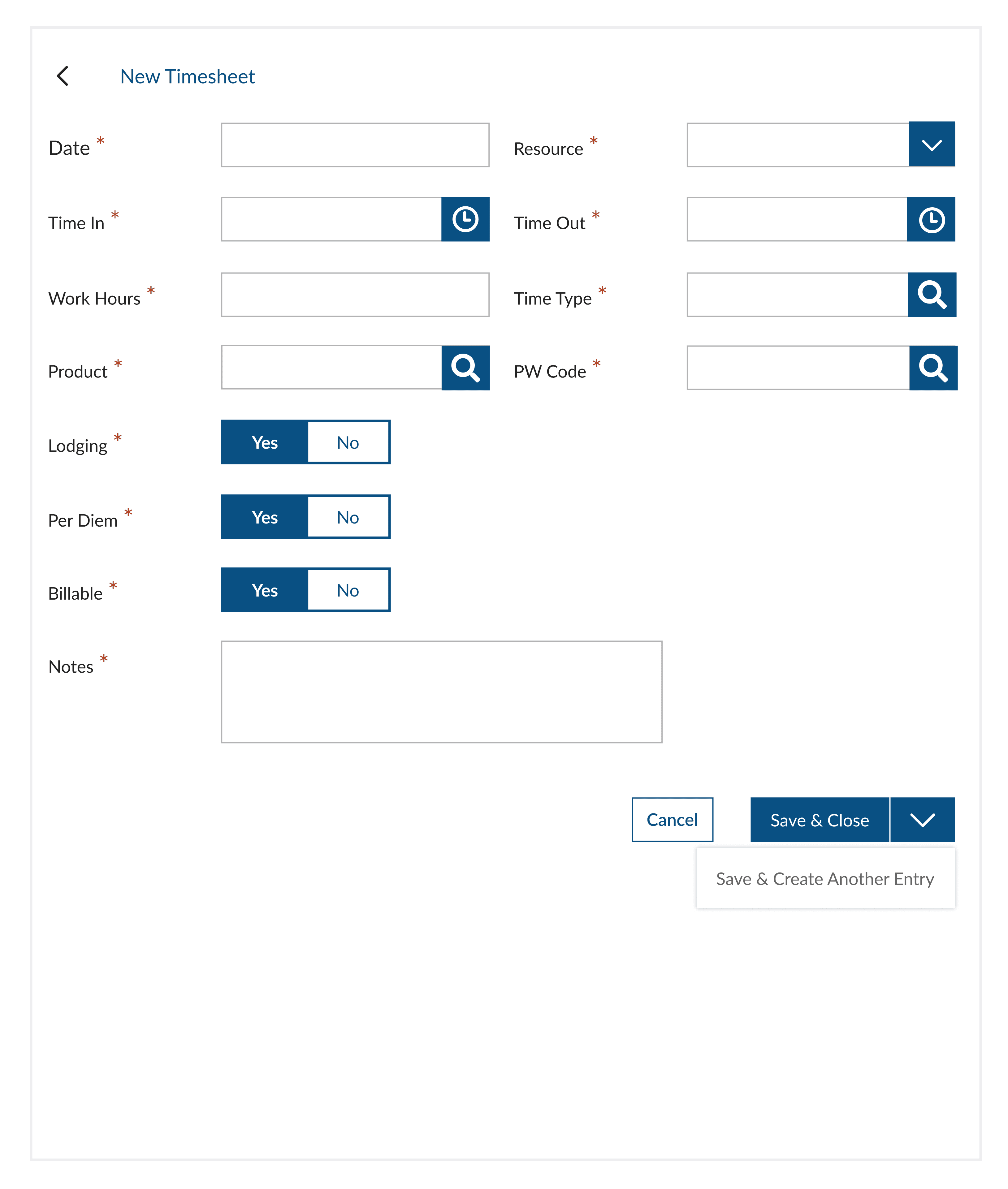
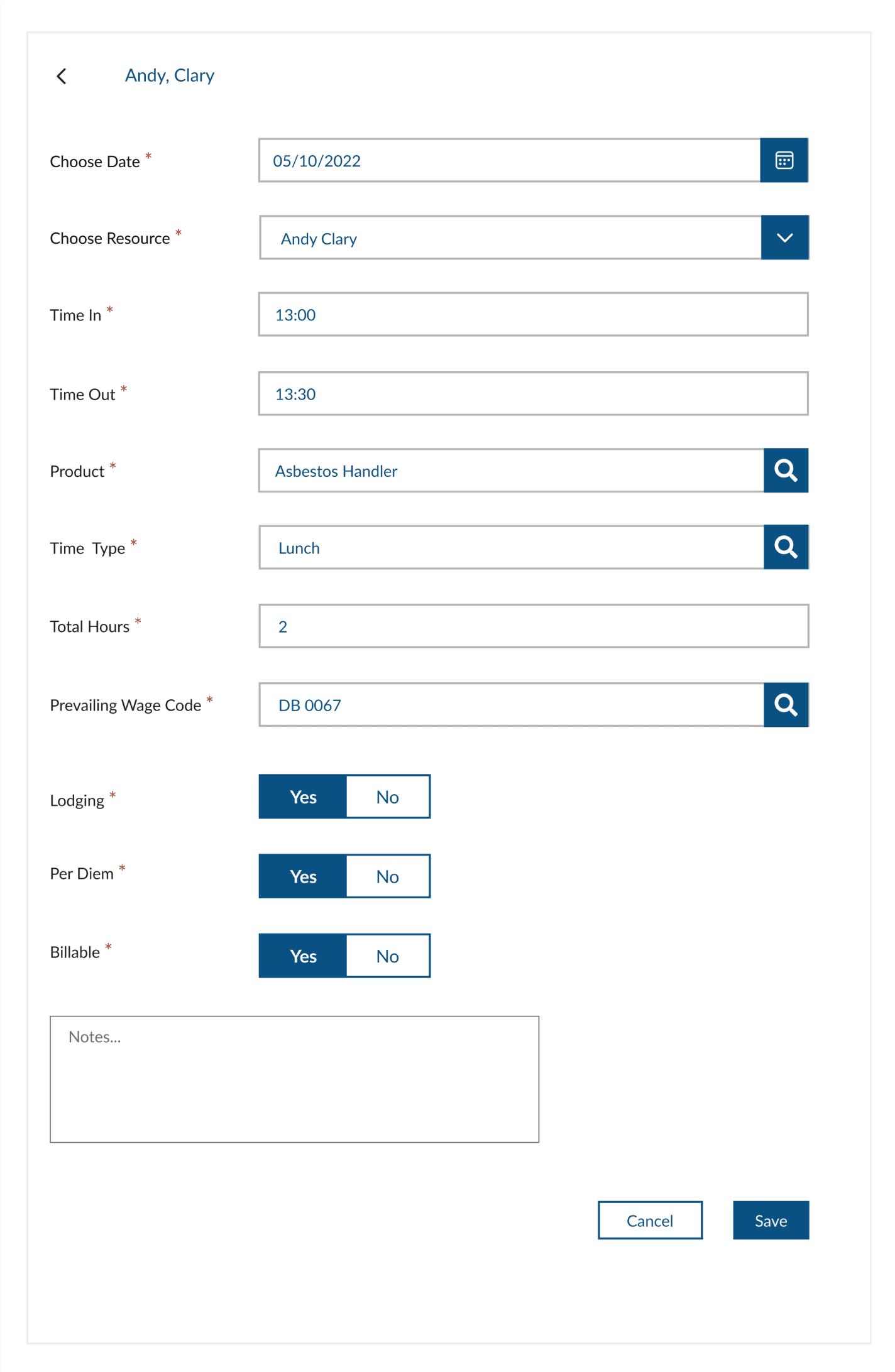
Enter timesheets for each worker.
2
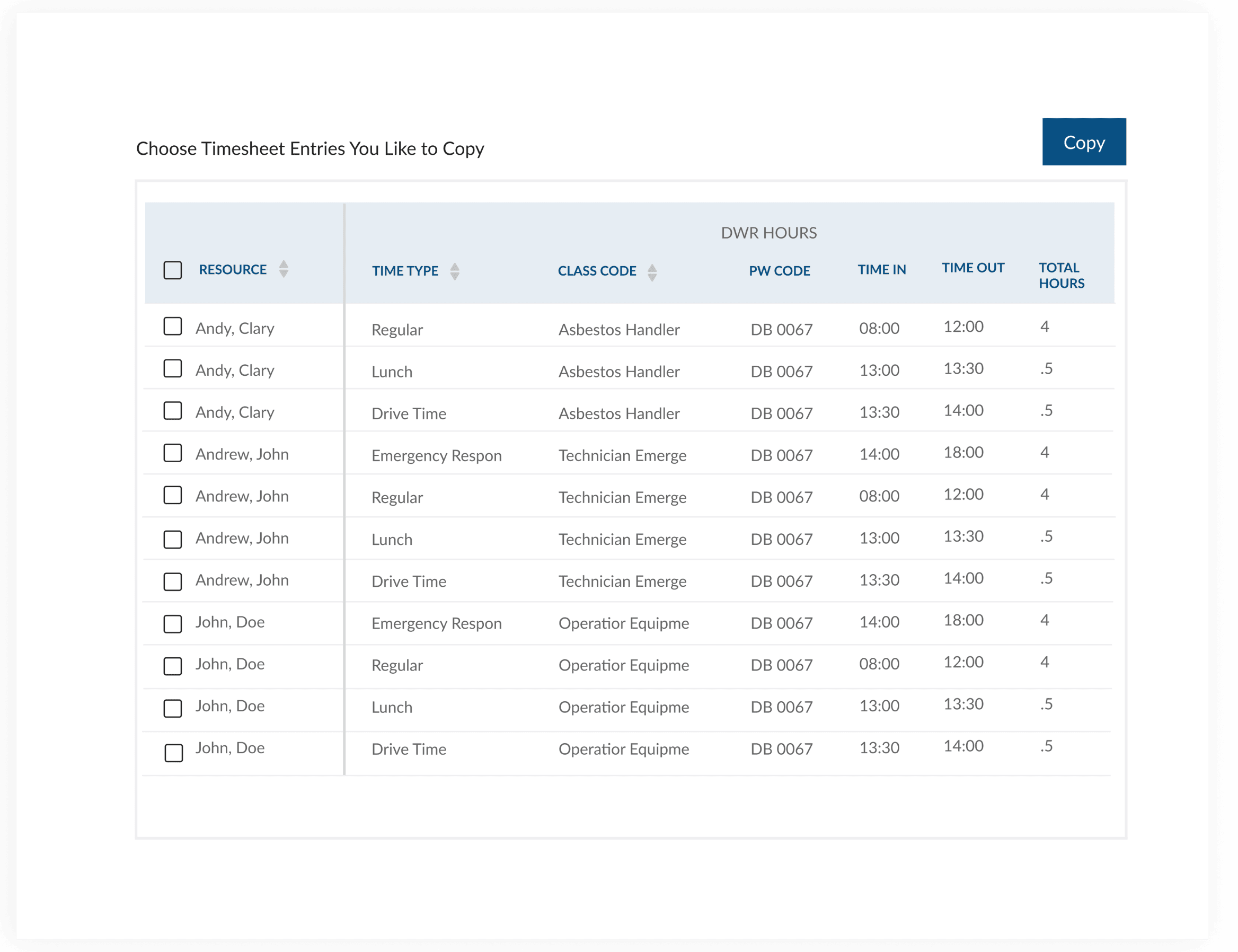
Copy from a previous timesheet or start a new one.
3
Compare entries with the Workday timesheet.
4
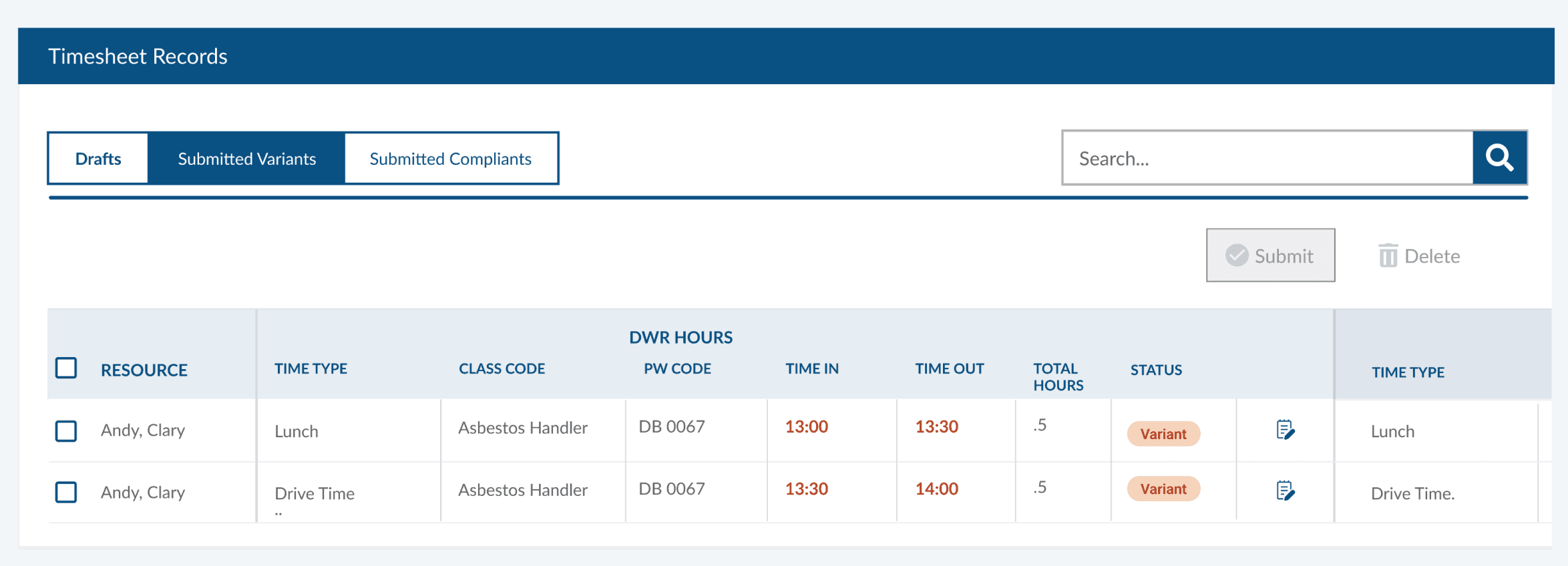
Save the timesheet as a draft or submit it or edit it.
5
If there’s a variance from Workday, the entry moves to Submitted Variants.
6
Once the Timekeeper selects a resolution type and submits, the entry moves to Submitted Compliant.
7
View project details
4
3
1
2
2
NEW TIMESHEET
2
COPY FROM PREVIOUS TIMESHEET
6
7
5
Material Management
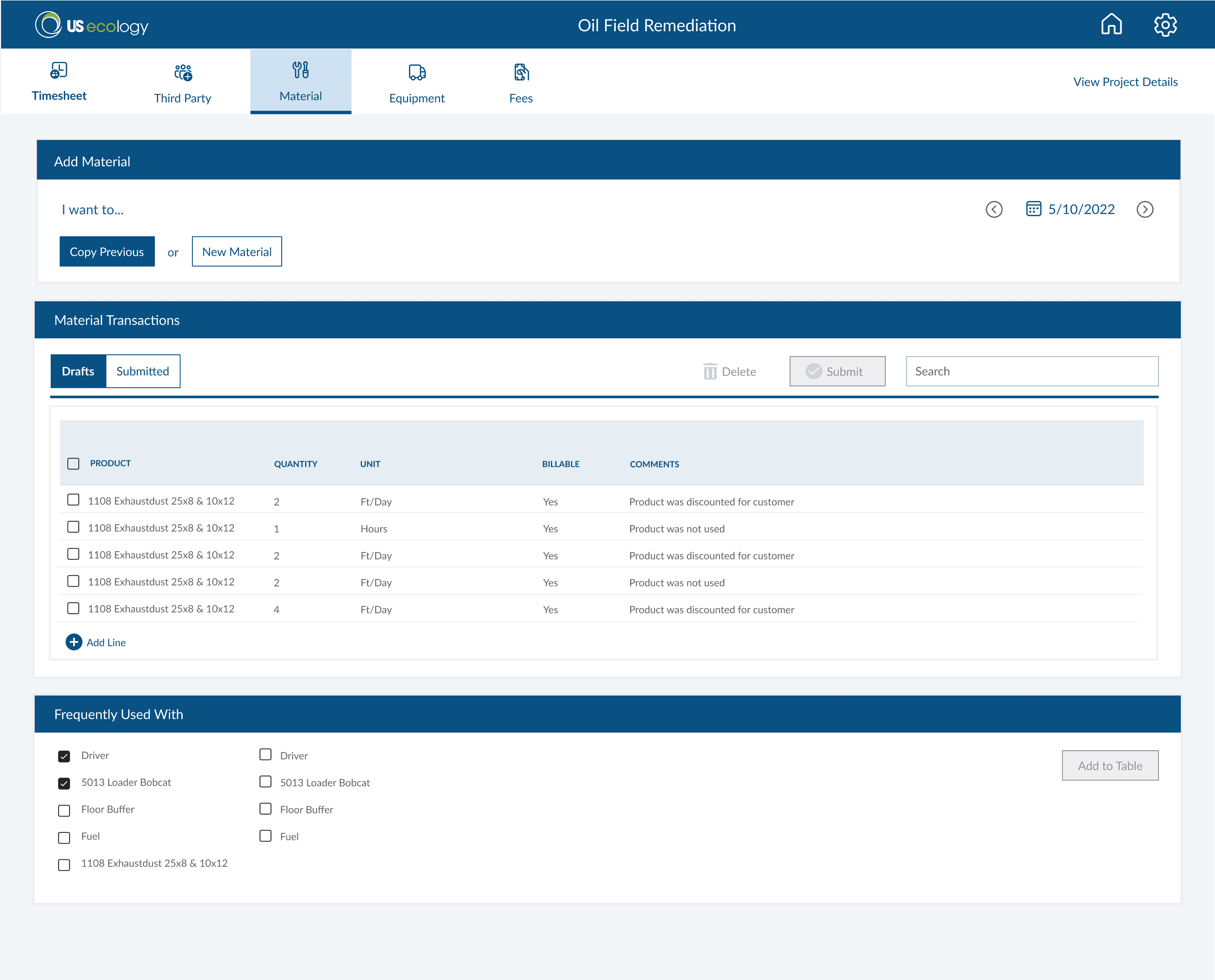
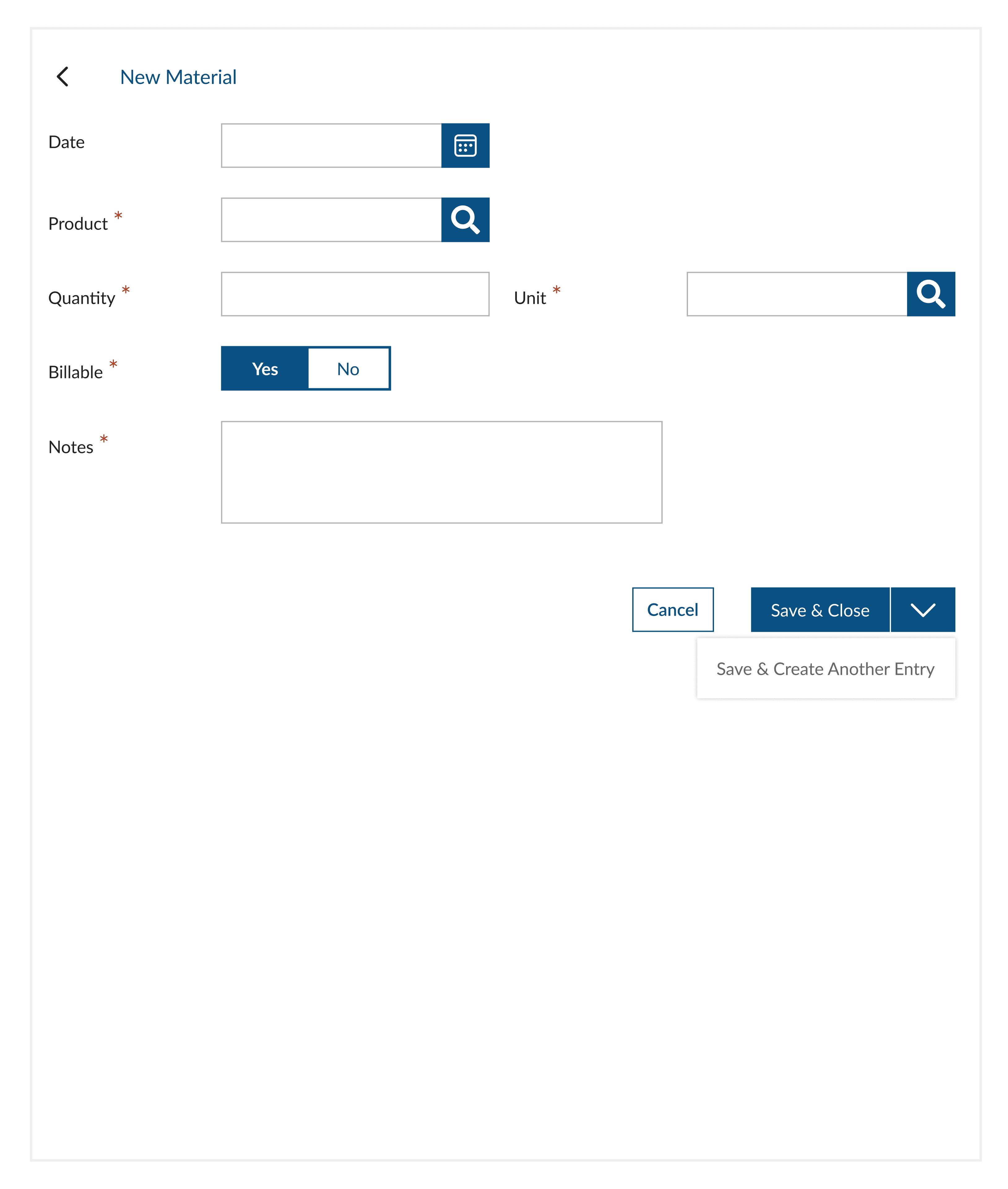
The Material Management section allows the PM to input material transactions, ensuring accurate tracking of materials used in the project. Additionally, the page displays frequently used items, which the PM can quickly add to the table for convenience.
Key Features
1
Create a new material entry sheet or copy from a previous one.
2
Track frequently used items for each material
Equipment Management
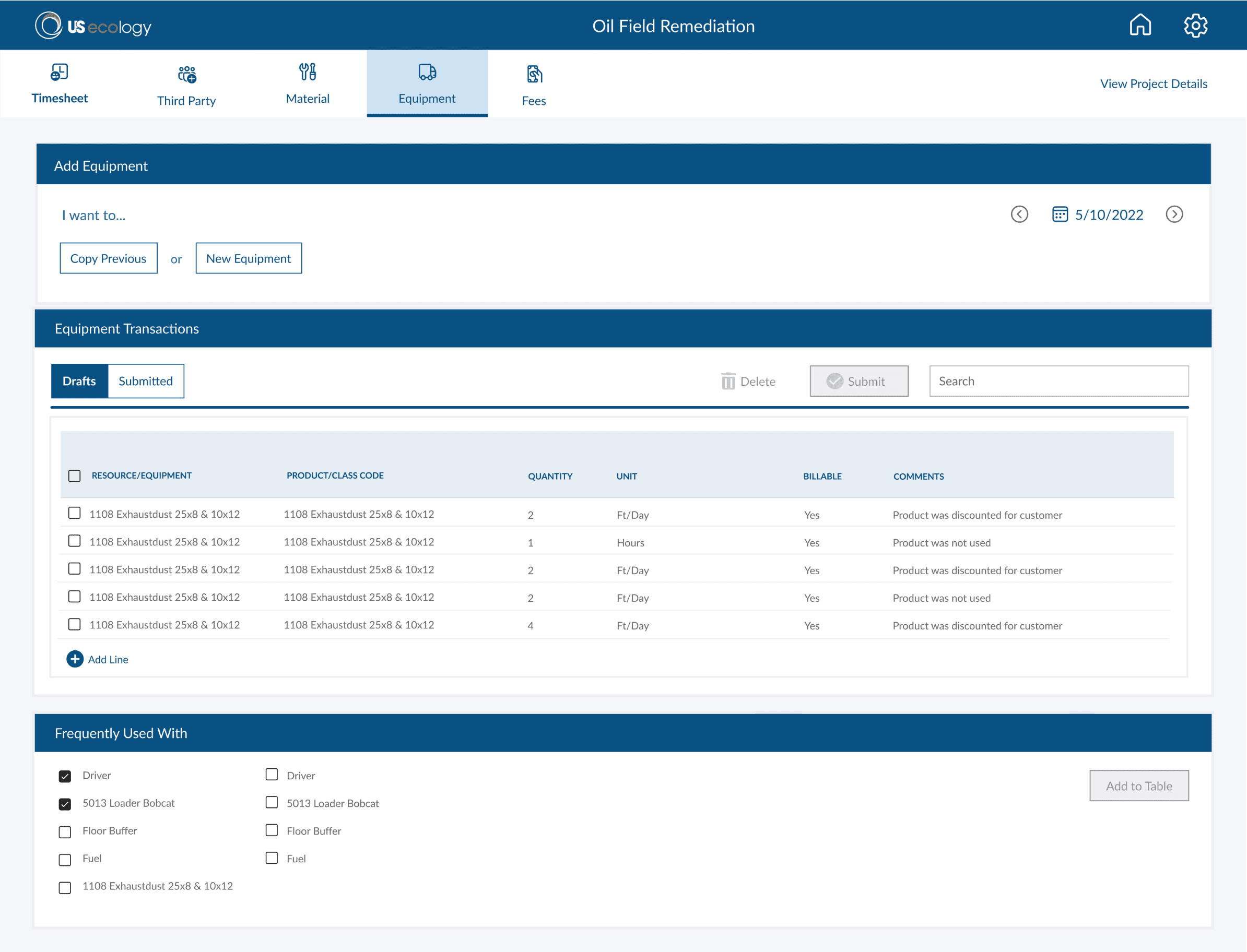
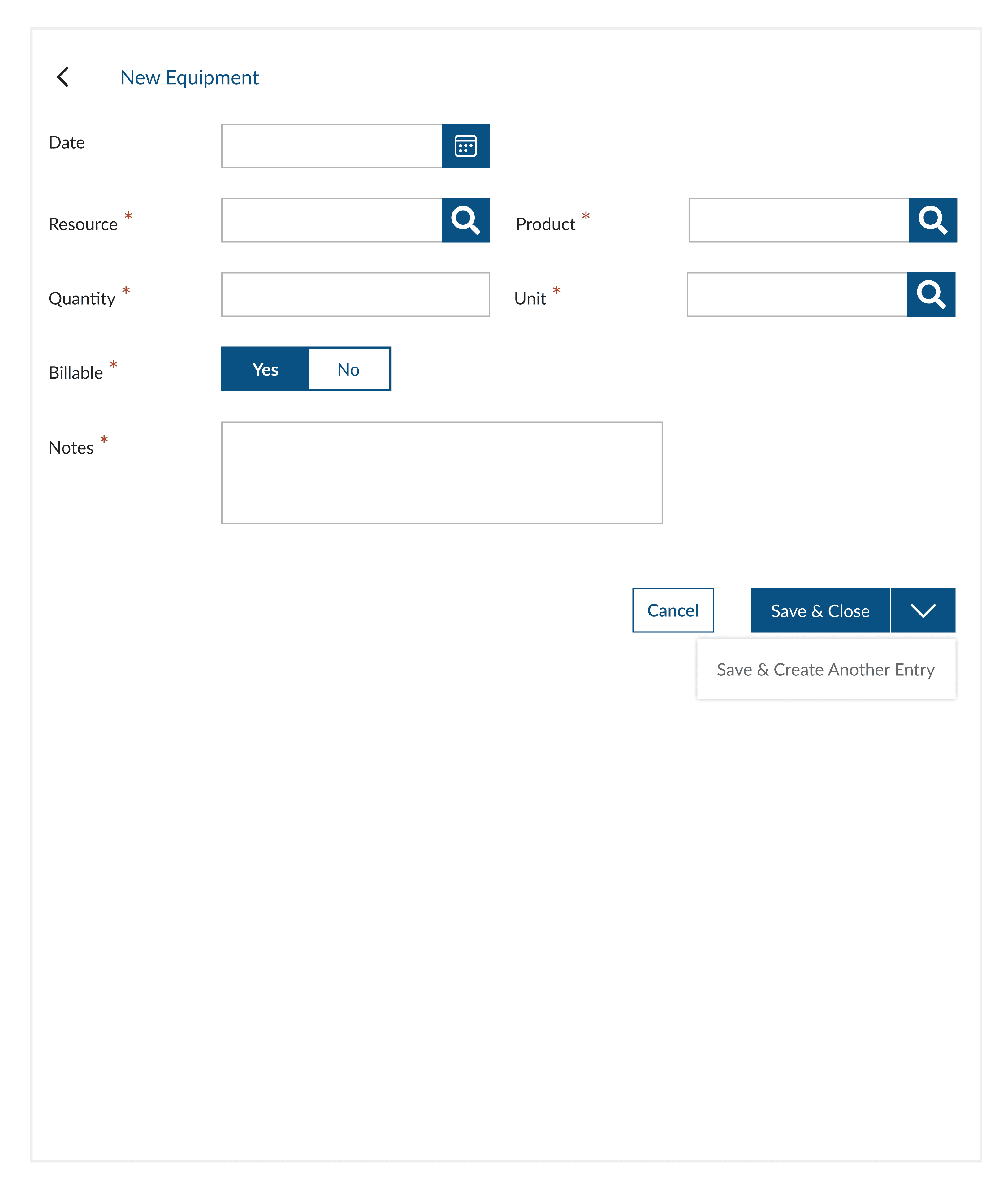
The Equipment Management section allows the PM to efficiently track equipment usage for the project. The PM can either create a new equipment entry sheet or copy from a previous day's sheet for convenience. Additionally, frequently used items associated with each equipment can be easily accessed and added.
Key Features
1
Create a new equipment entry sheet or copy from a previous one.
2
Track frequently used items for each equipment.
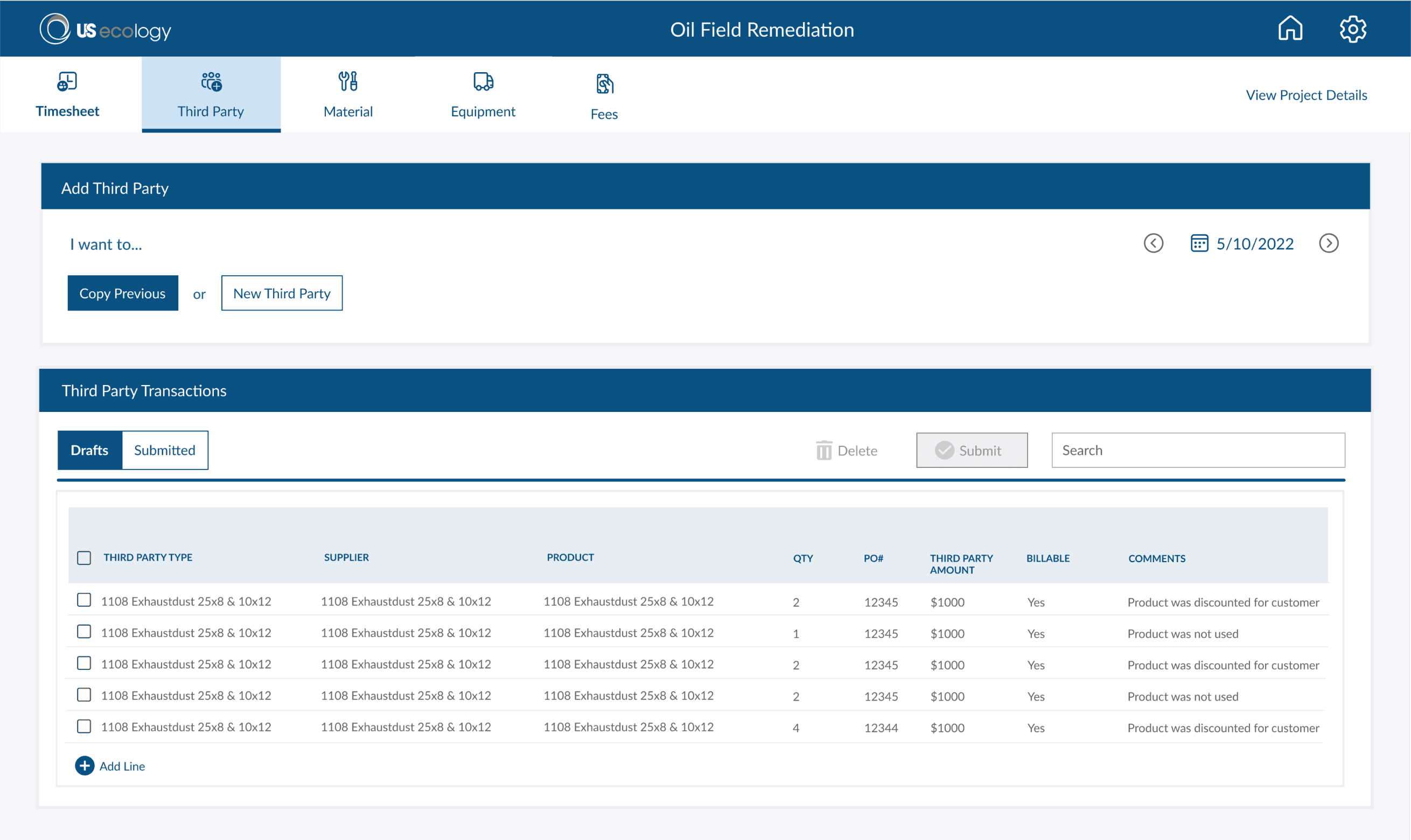
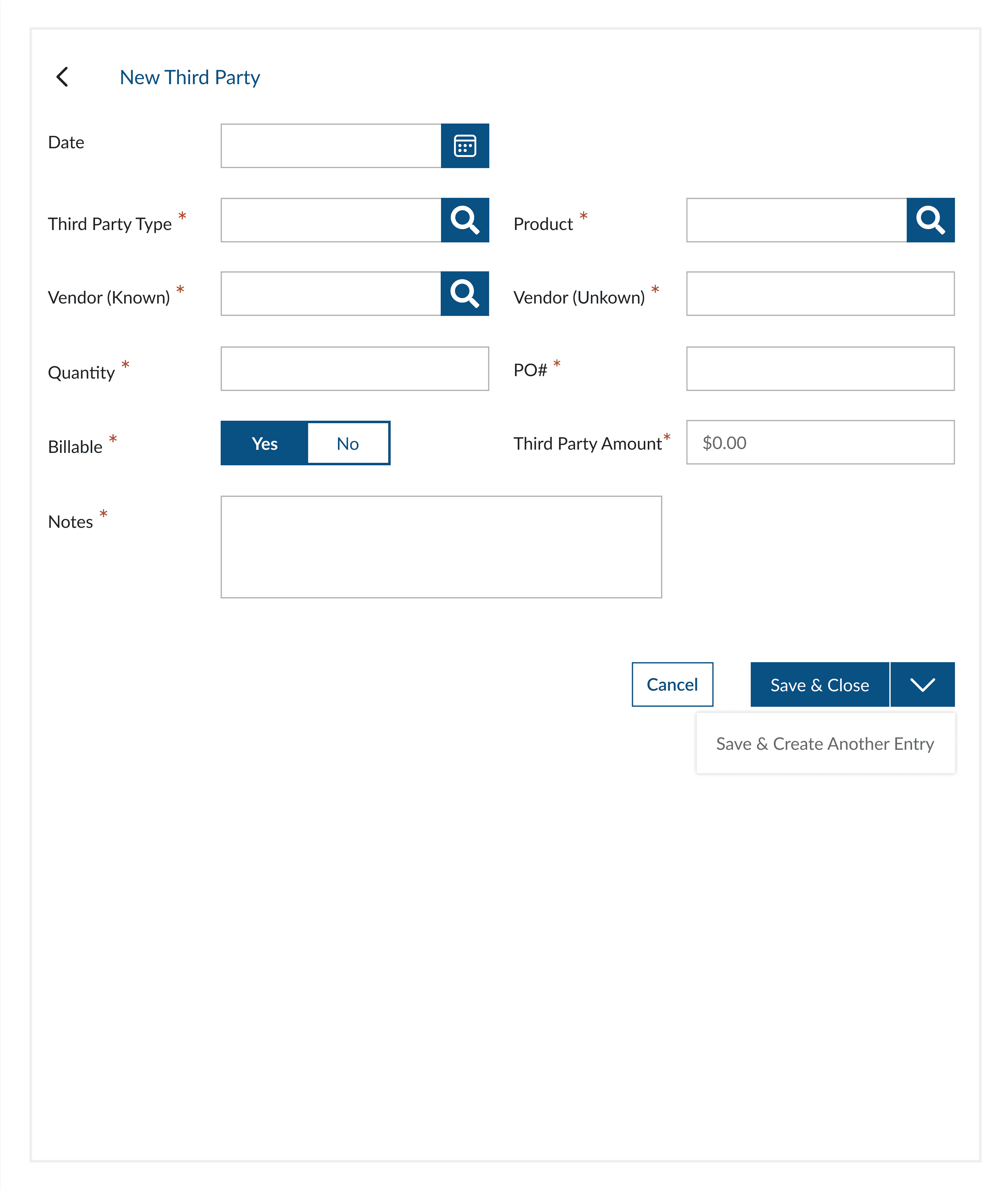
Third Party Transactions
Projects sometimes require equipment, materials, and labor from third-party vendors. The PM is responsible for tracking these external resources and entering line items with the quantity and third-party costs to ensure accurate record-keeping and budgeting.
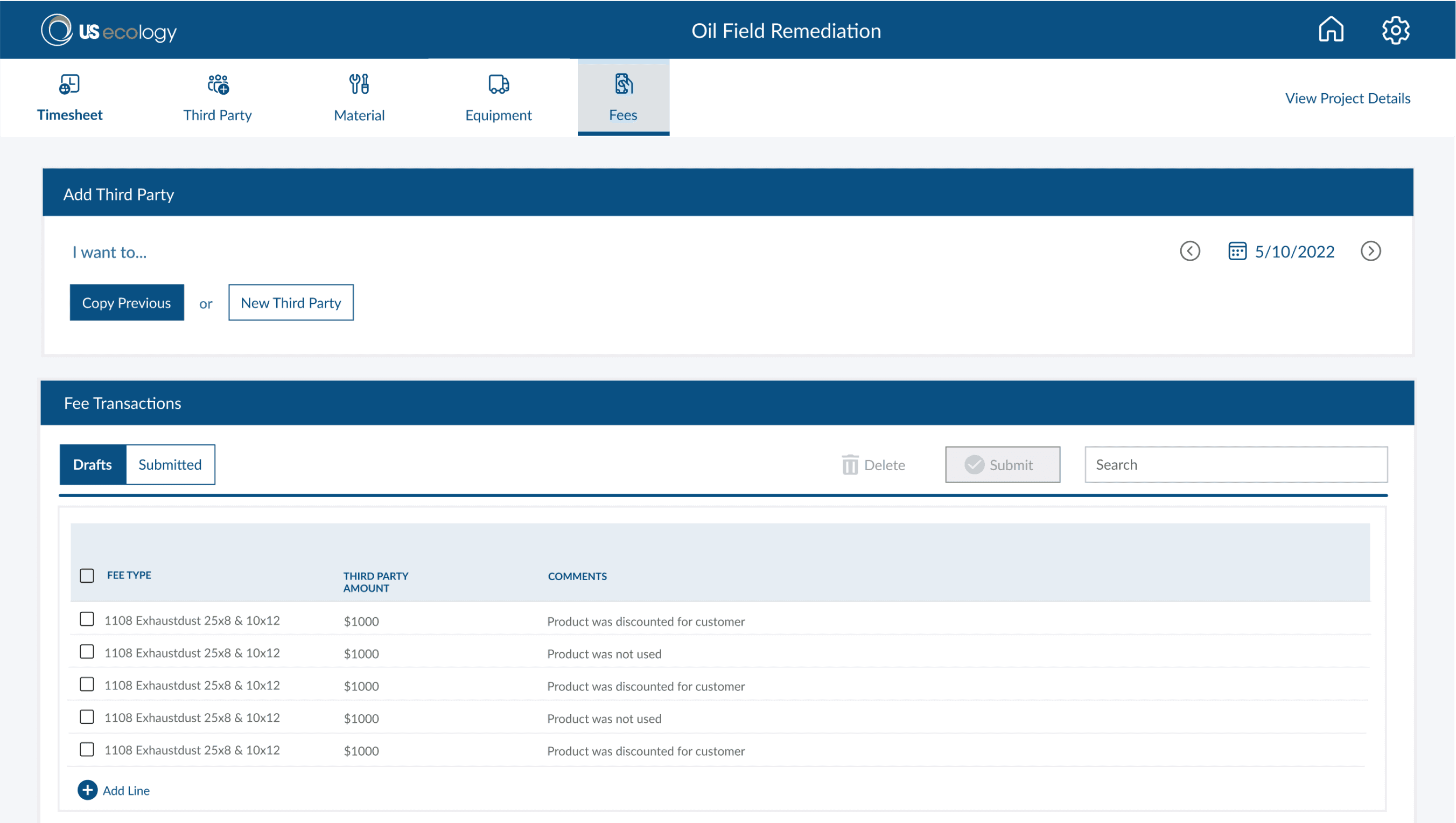
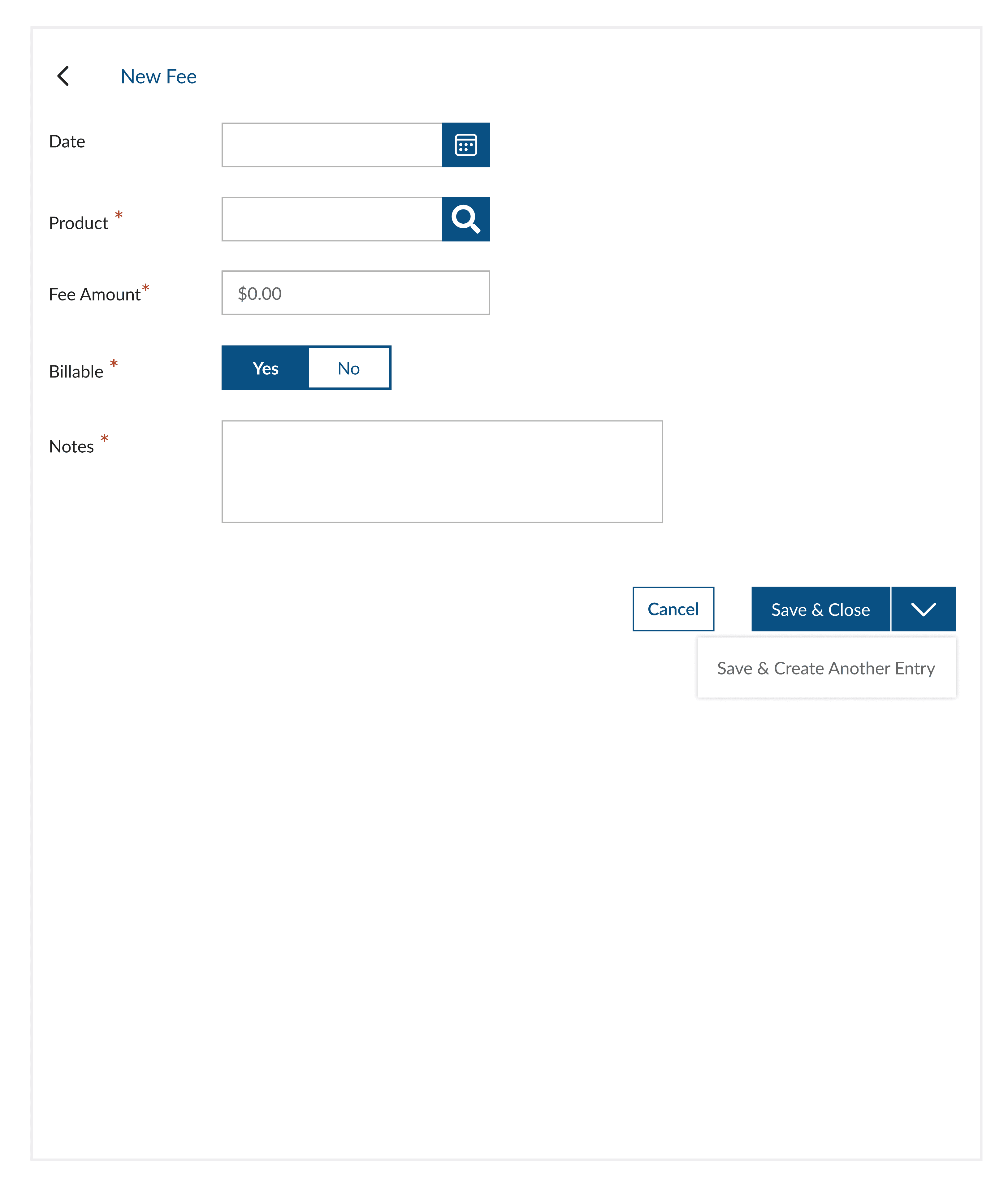
Fees Transactions
The PM must also track last-minute expenses, such as meals, per-diem costs, or urgent material purchases. These unexpected costs need to be recorded accurately along with the corresponding fees to ensure proper expense management.
CHALLENGES
Balancing Simplicity with Functionality
Creating a clean, intuitive UI while supporting complex needs like variance resolution, approvals, and system integrations without overwhelming users.
Ensuring Fast, Efficient Data Entry
Designing smart inputs (autofill, copy previous, shortcuts) to streamline repetitive tasks and minimize user effort.
RESULTS & NEXT STEPS
Phase One Complete, Phase Two Ahead
Phase one delivered a streamlined UI for centralized tracking, replacing spreadsheets with an intuitive workflow and improving data accuracy. Phase two will enhance accessibility with mobile optimization, advanced reporting, role-based views, and automation.